The Phomemo M110 Label Printer review is for buyers weighing a compact, app-driven label maker for business tasks and everyday organization.
Its included label sizes, barcode and QR code support, and batch-printing tools make it a flexible option when your labels fit within its compact format.
Phomemo M110 Review Summary
The quick verdict
1,000+ ratings
Read Amazon ReviewsPhomemo M110 Label Printer
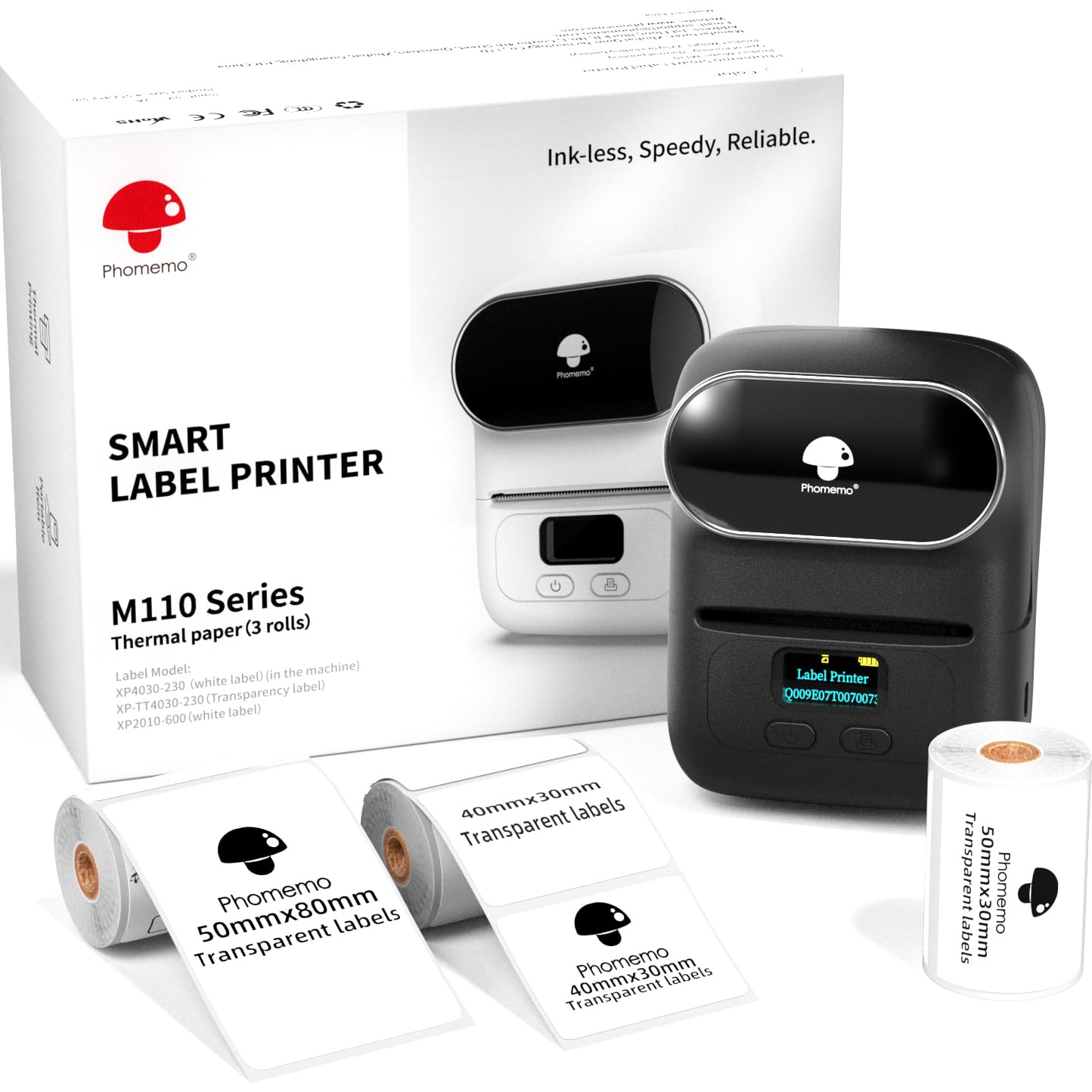
A portable Bluetooth label printer for small businesses, makers, and home organizers who need custom barcodes, address, or product labels.
- Prints labels 20–50 mm wide and up to 80 mm long.
- Handles text, pictures, QR codes, barcodes, product labels, address labels, ingredient labels, price labels, clothing labels, and jewelry labels.
- Supports batch printing for runs of repeated labels.
- Connects through Bluetooth using the Print Master app; the printer should be paired from within the app rather than from the device’s Bluetooth settings.

Pros
- Three included label sizes let buyers try different compact formats for product and organization labels.
- Barcode, QR code, image, and batch-printing support expands its usefulness beyond simple text labels.
Consider before buying
- Bluetooth setup requires the Print Master app; pairing directly through the device’s Bluetooth settings can fail.
- The 20–50 mm width and 80 mm maximum length constrain the size of labels it can produce.
Read the full review summary
The M110 is designed to take label creation from a phone or computer and handle more than plain text.
It supports text, images, barcodes, QR codes, and batch printing, while the Print Master app offers templates and tools for custom designs.
Three included roll sizes—40 × 30 mm, 50 × 30 mm, and 50 × 80 mm—give new owners a few formats to try.
Its appeal is strongest for small businesses, market sellers, crafters, and home organizers who want portable printing for price, product, address, ingredient, clothing, or jewelry labels.
The printer connects through Bluetooth using the app, and its stated print width range is 20–50 mm with a maximum length of 80 mm.
That compact range suits many small labels, but it is important to match the printer’s dimensions to the labels your workflow actually needs.
The buying factors
Phomemo M110 Scorecard
Editorial scores reflect listed features and buyer fit; they are not laboratory measurements or customer ratings.
Label format flexibility
Supports label widths from 20 to 50 mm and lengths up to 80 mm, with three sizes included.
Label design tools
The app includes templates, more than 30 fonts, 500+ emojis, and 40+ borders for custom designs.
Business labeling features
Barcode, QR code, product-label, and batch-printing support suits varied small-business tasks.
Portability
The compact format and stated four-hour continuous working time are useful for mobile or occasional work sessions.
Connection simplicity
Bluetooth setup depends on connecting inside the Print Master app, so the required workflow may take adjustment.
Computer flexibility
The product title indicates PC and Mac support, while the supplied feature details focus on app-based Bluetooth setup and printing.
Key Features and Specifications of Phomemo M110
- Prints labels 20–50 mm wide and up to 80 mm long.
- Handles text, pictures, QR codes, barcodes, product labels, address labels, ingredient labels, price labels, clothing labels, and jewelry labels.
- Supports batch printing for runs of repeated labels.
- Connects through Bluetooth using the Print Master app; the printer should be paired from within the app rather than from the device’s Bluetooth settings.
- The app offers ready-made templates and tools for saving custom templates, with 30+ fonts, 500+ emojis, and 40+ borders.
- Includes three roll sizes: 40 × 30 mm, 50 × 30 mm, and 50 × 80 mm. One roll is stored inside the printer beneath its label cover.
- The stated continuous working time is four hours, and the listed print speed is 1.2 inches per second.
Pros and Cons of Phomemo M110
Pros
- Three included label sizes let buyers try different compact formats for product and organization labels.
- Barcode, QR code, image, and batch-printing support expands its usefulness beyond simple text labels.
- A broad collection of fonts, emojis, borders, and templates gives users options for branded or decorative designs.
- Portable design and a stated four-hour working time support labeling away from a fixed desk.
Consider before buying
- Bluetooth setup requires the Print Master app; pairing directly through the device’s Bluetooth settings can fail.
- The 20–50 mm width and 80 mm maximum length constrain the size of labels it can produce.
- The supplied feature details do not explain the computer connection workflow, so PC or Mac buyers should confirm setup and software compatibility for their device before relying on it.
Who Should Buy Phomemo M110?
Good fit
Consider the M110 if you regularly make small business labels and want one portable printer for product details, prices, ingredients, addresses, barcodes, and QR codes.
The included three roll sizes provide a useful starting point, and batch printing can help when a task calls for many repeated labels.
It also makes sense for makers and home organizers who value custom layouts.
The app’s templates and design elements give you ways to build labels without starting from a blank page, while support for images and multiple label types can accommodate different projects.
Before buying, compare the 20–50 mm width and 80 mm length limits with the labels you plan to use.
If you plan to print from a phone, be ready to initiate the Bluetooth connection through Print Master.
Computer users should check the setup process for their operating system before choosing it as the center of a desktop workflow.
Who should skip it
Look elsewhere if your routine depends on labels wider than 50 mm or longer than 80 mm; those formats are outside the stated print range.
This is a less suitable choice if you need a setup that pairs directly from your device’s Bluetooth settings. The specified workflow uses the Print Master app to connect.
How the Phomemo M110 Fits Small-Label Work
A useful spread of compact label sizes
The M110’s three included formats cover a range of small labeling jobs, from compact tags to labels with more room for text or a code.
The stated maximum of 50 mm wide by 80 mm long is the key sizing boundary: check your existing label layouts against it, especially if you need to fit several details on one label.
App-based creation and connection
Print Master is central to both creating labels and connecting the printer over Bluetooth. Ready-made templates can speed up common jobs, while saved templates, multiple fonts, borders, emojis, and image support allow more customization.
Since pairing must start in the app, phone users should expect to manage the printer there rather than through the device’s normal Bluetooth menu.
Batch printing for repeat tasks
Batch printing is a practical feature when making runs of the same price, address, or product label.
The listed speed of 1.2 inches per second provides a reference for the printer’s pace, though an actual job’s timing will depend on its layout and print length.
The four-hour continuous working-time figure may suit planned sessions; buyers who label throughout the day should consider whether that stated window matches their routine.
Check the computer workflow before purchase
The product title identifies PC and Mac compatibility, but the supplied feature details emphasize Bluetooth printing through a mobile app rather than describing a desktop setup.
If computer-based design is important, verify the available software and connection instructions for your operating system before making the M110 your primary printer.
Alternatives to Phomemo M110
Desktop Label Printers alternative

6,000+ ratings
Read Amazon ReviewsPhomemo M110 Label Maker
Compare this variant if the pre-cut label detail and its stated phone compatibility are useful to your setup.
The supplied features otherwise describe a closely related M110 format, so it offers limited differentiation for buyers seeking a different kind of printer.
- This M110 variant lists the same 20–50 mm width range, three included label sizes, pre-cut label printing, Bluetooth 4.0, and compatibility with Android and iOS.
- The reviewed M110 supports 20–50 mm label widths, up to 80 mm lengths, batch printing, and a Bluetooth workflow through Print Master.
Desktop Label Printers alternative

700+ ratings
Read Amazon ReviewsPhomemo M220 Label Maker
Consider the M220 if you need a wider label format or described USB computer connectivity.
The M110 is the more directly specified fit for compact 20–50 mm labels, while neither should be chosen for 4 × 6 shipping labels based on the supplied details.
- The M220 supports label widths from 0.78 to 3.14 inches, Bluetooth for phones and tablets, and USB connections to listed computer systems.
- Its description specifies that it does not support 4 × 6 shipping labels.
- The M110 is limited to labels 20–50 mm wide and up to 80 mm long; its supplied description focuses on mobile app features and Bluetooth connection.
Is Phomemo M110 Worth It?
The Phomemo M110 Label Printer is worth considering for small businesses and makers who need portable printing for compact product, price, ingredient, address, or code labels.
Its three included roll sizes, batch-printing support, and customizable app tools make it adaptable to varied small-label jobs.
Buy it if the 20–50 mm width and 80 mm length limits fit your work and you are comfortable using Print Master to connect over Bluetooth.
Check the desktop workflow first if you intend to print mainly from a computer.
Your review at a glance
1,000+ ratings
Read Amazon ReviewsPhomemo M110 Label Printer
A portable Bluetooth label printer for small businesses, makers, and home organizers who need custom barcodes, address, or product labels.
- Prints labels 20–50 mm wide and up to 80 mm long.
- Handles text, pictures, QR codes, barcodes, product labels, address labels, ingredient labels, price labels, clothing labels, and jewelry labels.
- Supports batch printing for runs of repeated labels.
- Connects through Bluetooth using the Print Master app; the printer should be paired from within the app rather than from the device’s Bluetooth settings.