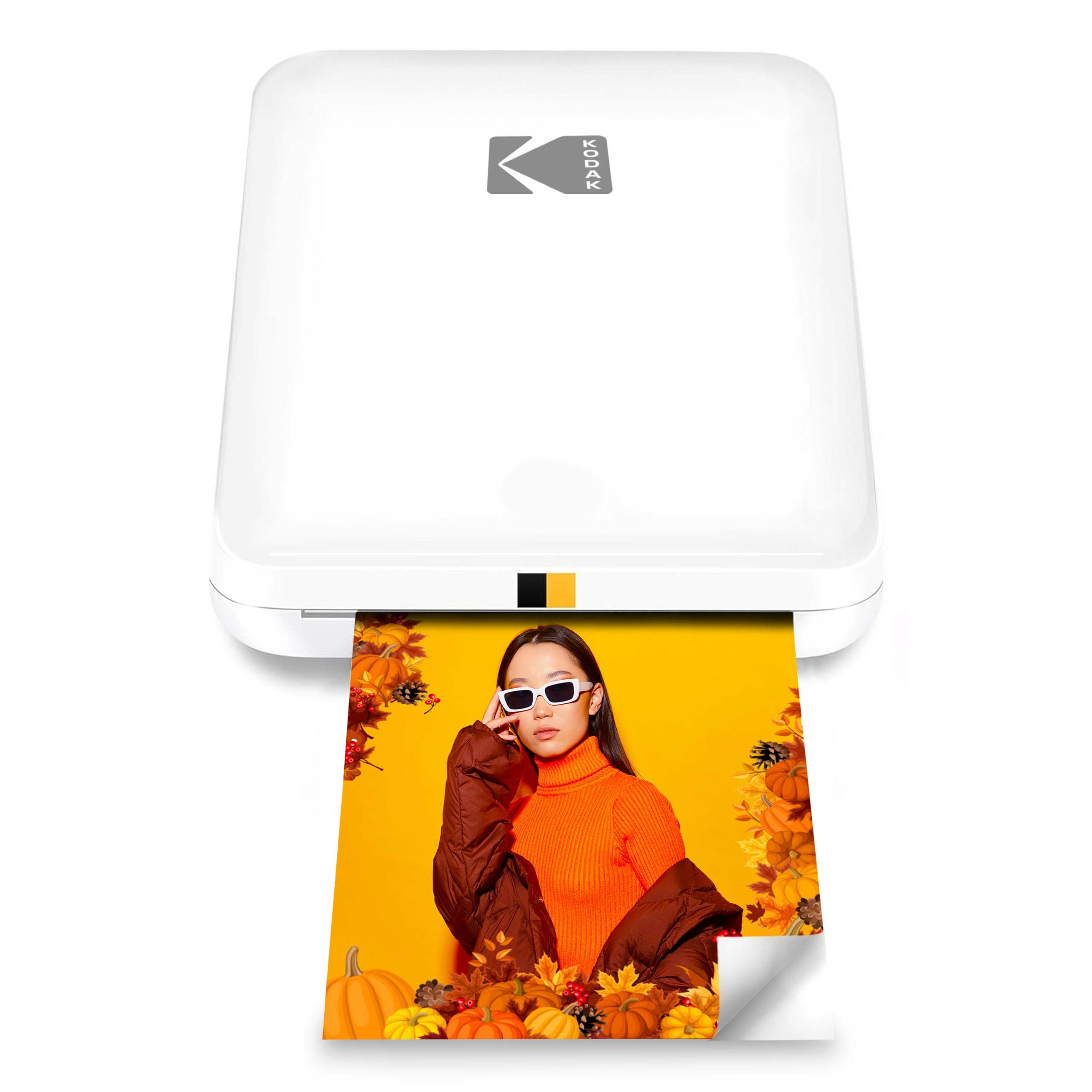
The KODAK Step Slim turns smartphone photos into small, peel-and-stick prints, with an app for adding frames, stickers, and other edits.
This kodak step slim printer review looks at its fit for party keepsakes, travel mementos, and casual creative projects.
KODAK Step Slim Review Summary
The quick verdict
500+ ratings
Read Amazon ReviewsKODAK Step Slim
A compact phone printer for scrapbookers, party hosts, and travelers who want small, sticky-backed photos they can personalize in an app.
- Prints color photos on 2-by-3-inch Zink paper.
- Uses ink-free Zink technology, so separate ink or toner is not required.
- Connects with iOS and Android devices through the KODAK STEP Prints app and Bluetooth.
- The app supports photo edits and additions such as frames and stickers.

Pros
- Small and easy to take along for parties, trips, and craft sessions.
- Sticky-backed prints can go straight into scrapbooks or onto suitable display surfaces.
Consider before buying
- The 2-by-3-inch format is small for wall display or detailed images.
- You will need compatible Zink paper for continued printing, so check paper availability and ongoing cost for your usage.
Read the full review summary
This printer is designed for quick, informal photo printing: pair a compatible iOS or Android device, choose an image in the KODAK STEP Prints app, and print on 2-by-3-inch Zink paper.
Its pocket-sized form and adhesive-backed output are especially suited to decorating journals, lockers, laptops, or party displays without needing a separate ink cartridge or toner supply.
The tradeoff is the small print format. It makes more sense for snapshots, labels, and keepsakes than for large framed photos or broad everyday printing.
Consider whether the app-based editing, phone workflow, and compact output match how you plan to use it, and factor the recurring Zink paper into your expected printing routine.
The buying factors
KODAK Step Slim Scorecard
Editorial scores reflect listed features and buyer fit; they are not laboratory measurements or customer ratings.
Portability
The slim, lightweight design is intended to travel in a pocket or bag for printing away from a desk.
Print format
Small 2-by-3-inch prints work well for albums and decorating, though they offer limited display size.
Creative editing
The companion app offers frames, stickers, and other personalization options before printing.
Setup simplicity
The phone-and-Bluetooth workflow avoids a computer connection and bulky printer setup.
Consumables convenience
Zink paper eliminates separate ink and toner, while paper remains an ongoing supply to plan for.
Everyday versatility
Its phone-photo focus and compact media suit keepsakes more than general-purpose printing.
Key Features and Specifications of KODAK Step Slim
- Prints color photos on 2-by-3-inch Zink paper.
- Uses ink-free Zink technology, so separate ink or toner is not required.
- Connects with iOS and Android devices through the KODAK STEP Prints app and Bluetooth.
- The app supports photo edits and additions such as frames and stickers.
- Prints have an adhesive backing for placing them on surfaces such as journals, lockers, and laptops.
- The compact, lightweight design is intended for portable use.
Pros and Cons of KODAK Step Slim
Pros
- Small and easy to take along for parties, trips, and craft sessions.
- Sticky-backed prints can go straight into scrapbooks or onto suitable display surfaces.
- App-based frames and stickers let users add a personal touch before printing.
- Ink-free printing avoids handling separate cartridges or toner.
Consider before buying
- The 2-by-3-inch format is small for wall display or detailed images.
- You will need compatible Zink paper for continued printing, so check paper availability and ongoing cost for your usage.
- Printing and customization depend on using a smartphone app and a wireless connection.
Who Should Buy KODAK Step Slim?
Good fit
Consider the KODAK Step Slim if you want to turn phone photos into hands-on party favors, travel keepsakes, or scrapbook decorations.
Its compact design and adhesive-backed prints make it convenient to bring to gatherings, then use without setting up a conventional printer.
It is also a good fit if you enjoy styling pictures before printing.
The app’s frames and stickers give you a way to make prints feel more personal, while the small size suits albums, journals, and other projects where a little image is more useful than a large photograph.
Before buying, think through how often you expect to print and whether 2-by-3-inch output will suit your projects.
Check the current availability and cost of compatible Zink paper, and confirm that the phone and app workflow fits the devices you plan to use.
Who should skip it
Skip this format if your main goal is large photographs for frames, or if you need one printer for documents and varied paper sizes. Its described purpose is portable, small-format photo printing.
It may be a poor match if you prefer a standalone printing workflow without relying on a smartphone app. Confirm app compatibility with your device before choosing.
KODAK Step Slim Review: What the Small Prints Are Best For
A pocket-sized format for spontaneous keepsakes
The slim design is a practical match for occasions where a full-size printer would be awkward: a birthday table, a trip, or a craft gathering.
The 2-by-3-inch output is easy to incorporate into journals and albums, but buyers planning a prominent photo display should consider whether that compact scale will feel satisfying.
Sticky-backed paper changes how prints get used
Adhesive backing makes the output useful as a small decoration as well as a photograph.
It can be placed on a laptop or in a scrapbook without separate tape, though the destination surface and permanence matter; choose a spot where a sticker-sized print is appropriate.
Editing adds personality before printing
The KODAK STEP Prints app includes frames and stickers, so the printer can support a quick creative activity rather than a simple phone-to-paper transfer. That is a useful fit for party projects and personalized mementos.
Buyers should be comfortable selecting and editing images on a phone as part of the process.
Plan around the paper supply
Zink printing removes separate ink and toner from the routine, simplifying supplies. It still relies on the correct photo paper, and frequent printing can make paper purchases a meaningful part of ownership.
Check compatible paper availability and the per-print cost against the number of photos you expect to make.
Alternatives to KODAK Step Slim
Laminated-print alternative
12,000+ ratings
Read Amazon ReviewsKODAK Mini 2 Retro
Choose the Step Slim if peel-and-stick Zink output and an ink-free workflow matter most.
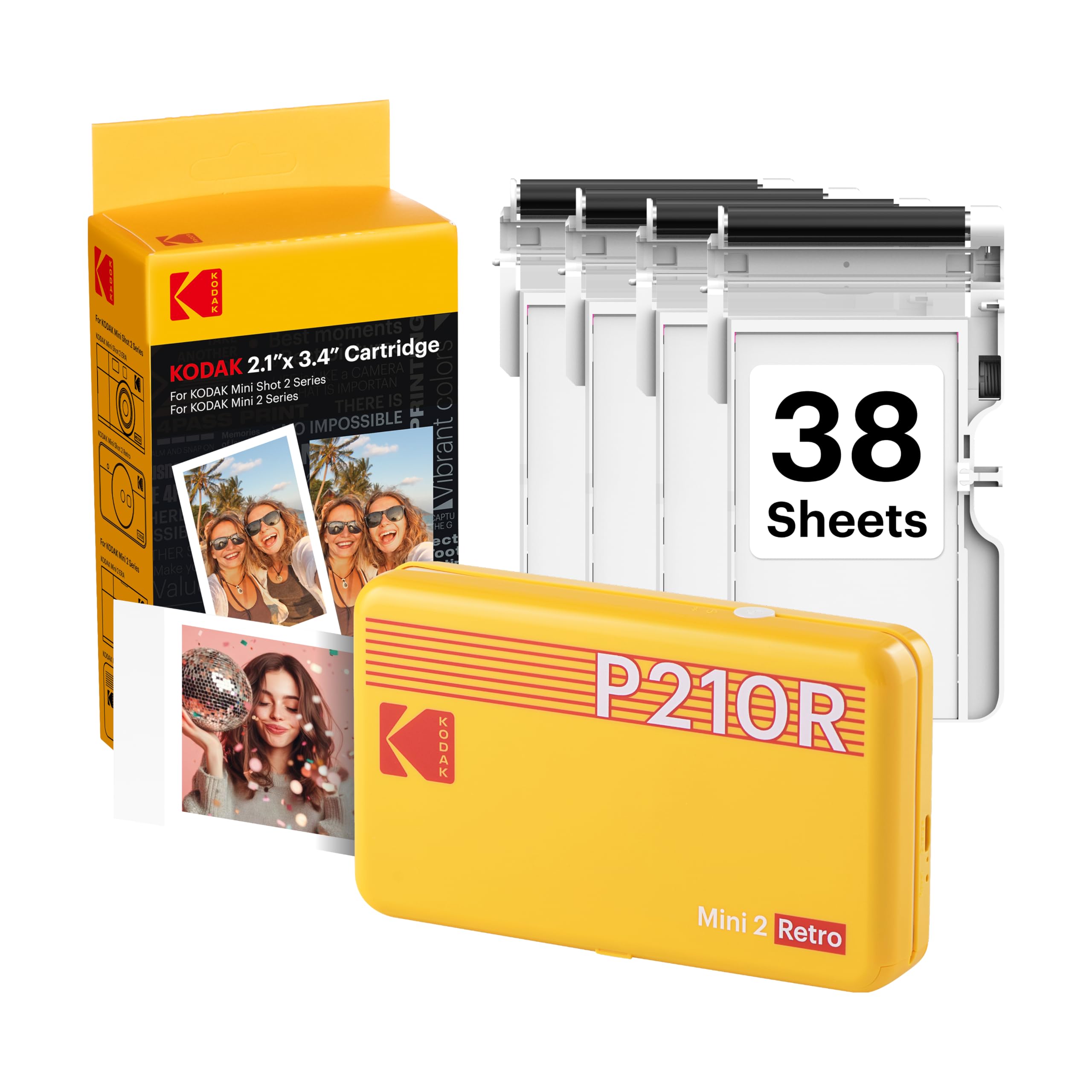
Consider the Mini 2 Retro if you prefer its layered dye-sublimation process and included paper-and-cartridge bundle; compare the ongoing consumables and print workflow for your needs.
- The Mini 2 Retro uses 4PASS dye-sublimation printing with a protective lamination layer and includes photo paper and cartridges in its bundle.
- The Step Slim is built around 2-by-3-inch adhesive-backed Zink prints and app-based personalization for portable keepsakes.
Portable Photo Printers alternative

25,000+ ratings
Read Amazon ReviewsHP Sprocket Select
The Step Slim is the more compact-format choice for sticker-sized keepsakes. The Sprocket Select may suit buyers who want a larger print area while staying with phone-connected Zink printing.
- The Sprocket Select prints larger 2.3-by-3.4-inch Zink photos and includes app editing features such as frames and filters.
- The Step Slim prints 2-by-3-inch Zink photos with a sticky backing and app editing tools.
Is KODAK Step Slim Worth It?
The KODAK Step Slim is worth considering when your priority is portable, personalized 2-by-3-inch photos for scrapbooks, party activities, and casual decorating. Its app tools, compact design, and sticky-backed Zink paper make that use straightforward.
Buy it if the small format and phone-based workflow fit your plans, and check the cost and availability of compatible paper before committing to regular printing.
Choose a different style of printer if you need larger photographs or broader printing duties.
Your review at a glance
500+ ratings
Read Amazon ReviewsKODAK Step Slim
A compact phone printer for scrapbookers, party hosts, and travelers who want small, sticky-backed photos they can personalize in an app.
- Prints color photos on 2-by-3-inch Zink paper.
- Uses ink-free Zink technology, so separate ink or toner is not required.
- Connects with iOS and Android devices through the KODAK STEP Prints app and Bluetooth.
- The app supports photo edits and additions such as frames and stickers.