The best USB hubs depend on what you need to connect, whether that means a few fast peripherals, a display and charger, or many devices at a desk. Check the host connection, port types, data speeds, and charging support before choosing; video output also requires a compatible USB-C device.
Quick Top Products
SABRENT 5-in-1 USB-C Hub (HB-TG5P)
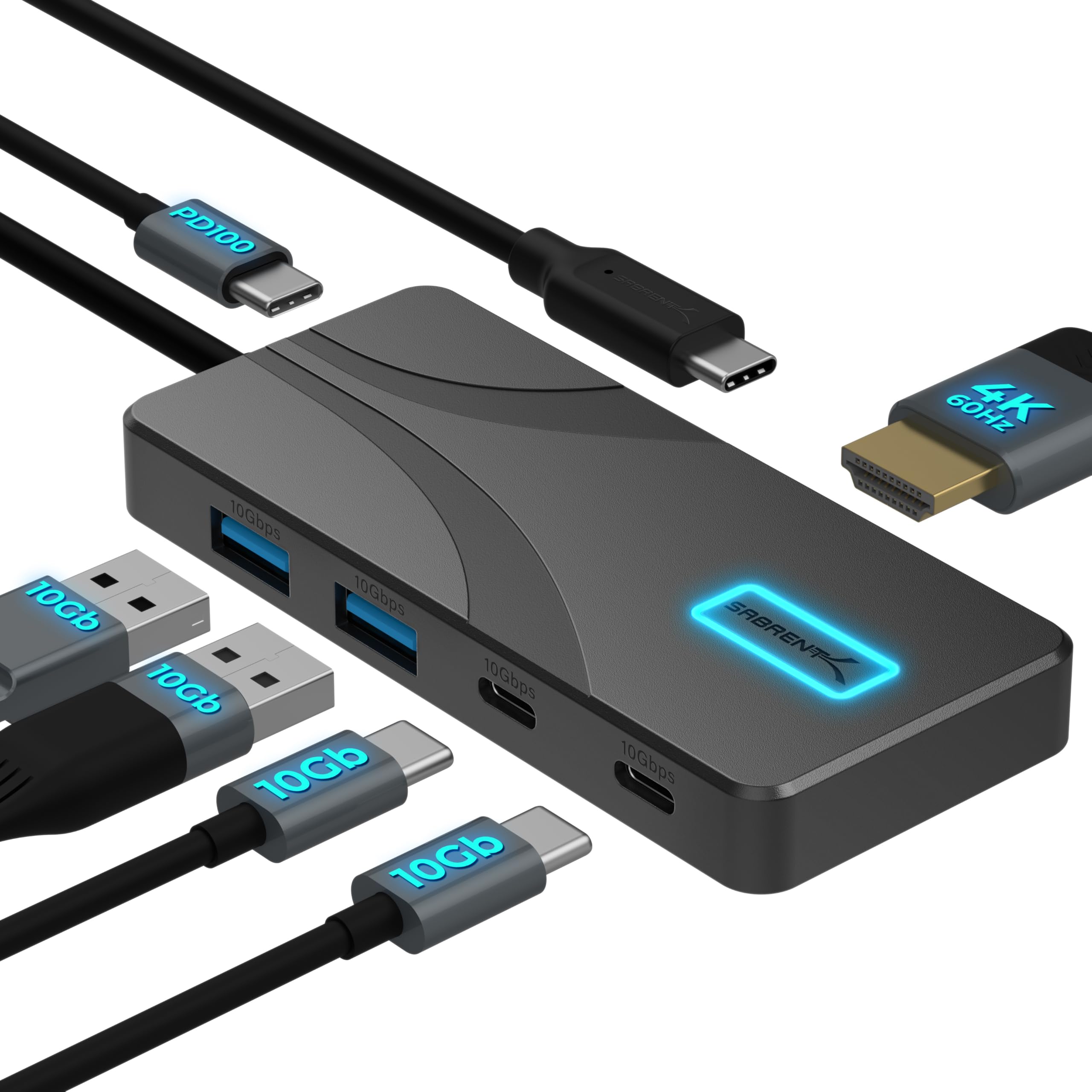
- Four USB-A and USB-C data ports support up to 10Gbps.
- HDMI output supports up to 4K at 60Hz.
- Passes up to 80W to a laptop from a 100W charger.
Best For: USB-C laptop users who want fast USB-A and USB-C ports, HDMI, and power pass-through.

SABRENT USB-C 6-Port Hub & M.2 Dock (HB-6PNV)

- Includes an M.2 slot for SATA or NVMe storage.
- HDMI supports up to 4K at 60Hz.
- Adds Gigabit Ethernet and three USB-A ports.
Best For: Traveling laptop or handheld users who want network, display, peripherals, and installable SSD storage.
j5create USB-C 7-in-1 Hub (JCD373EC)
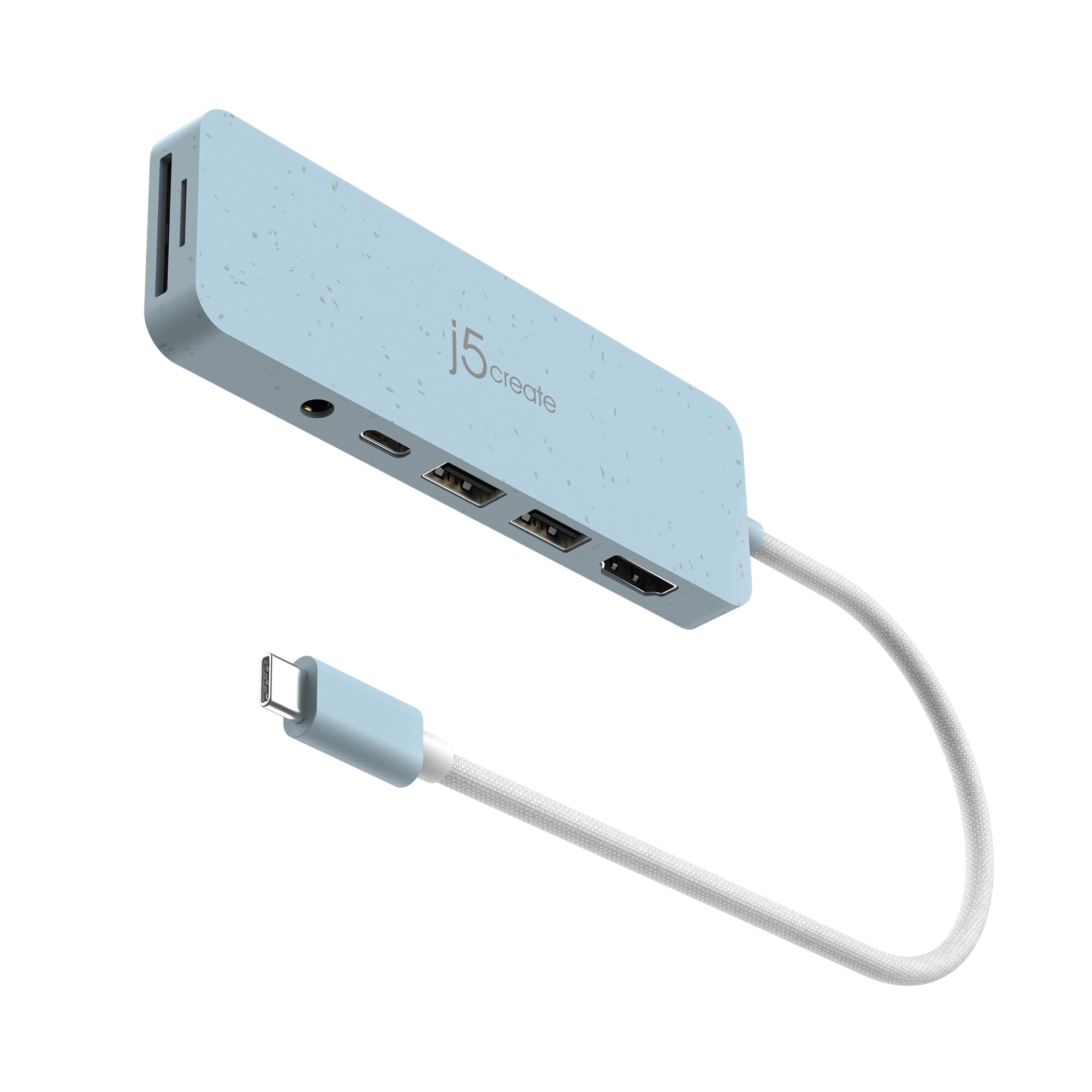
- Combines USB-A, HDMI, PD, audio, and SD and microSD readers.
- HDMI output supports up to 4K at 30Hz.
- The USB-C PD port supports 100W.
Best For: Laptop users who want HDMI, SD and microSD readers, audio, and USB-A connections in one adapter.
SABRENT USB-C Hub with 4K HDMI (HB-SHPU)
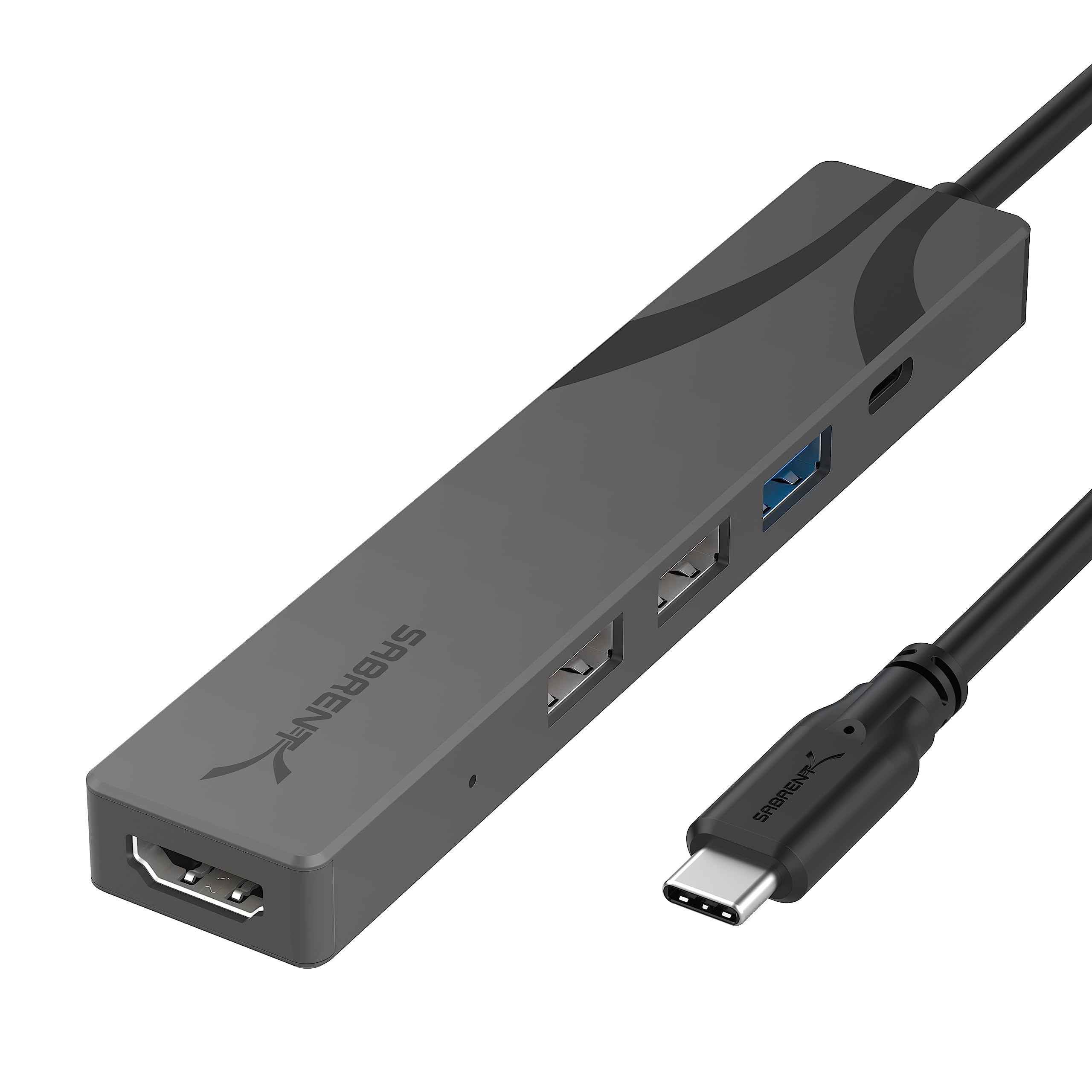
- Includes three USB-A ports with one 5Gbps port.
- HDMI supports up to 4K at 60Hz.
- PD 3.0 supports up to 90W.
Best For: Traveling USB-C laptop users who need HDMI, three USB-A connections, and PD pass-through.
SABRENT USB-C Hub with 4K HDMI (HB-TC5P)
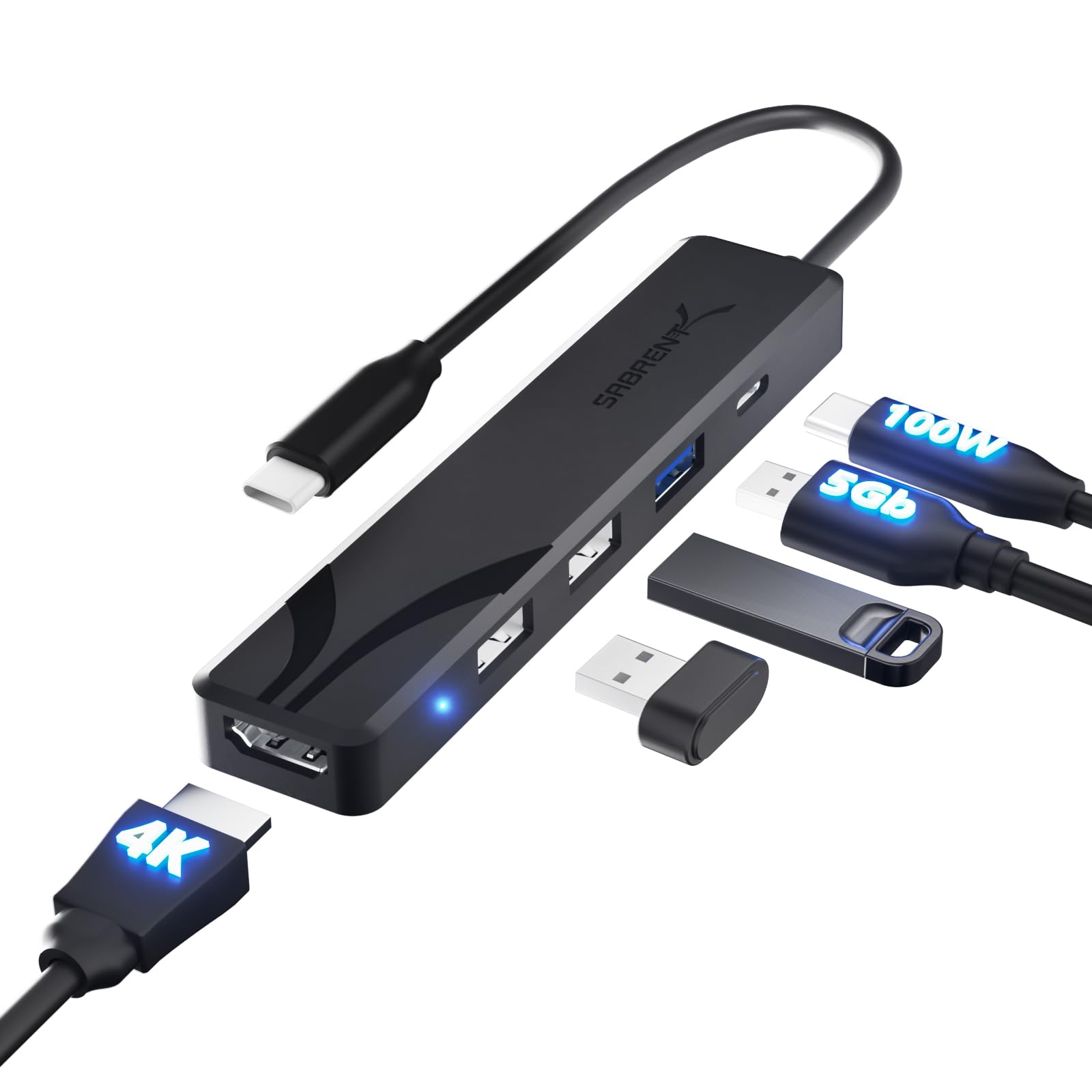
- HDMI 2.0 supports up to 4K at 60Hz.
- Has one 5Gbps USB-A port and two USB 2.0 ports.
- The PD input supports up to 100W pass-through.
Best For: USB-C laptop owners who need HDMI, one faster USB-A port, two slower peripheral ports, and charging pass-through.
SABRENT 7-Port USB-C Hub (HB-3A4C)
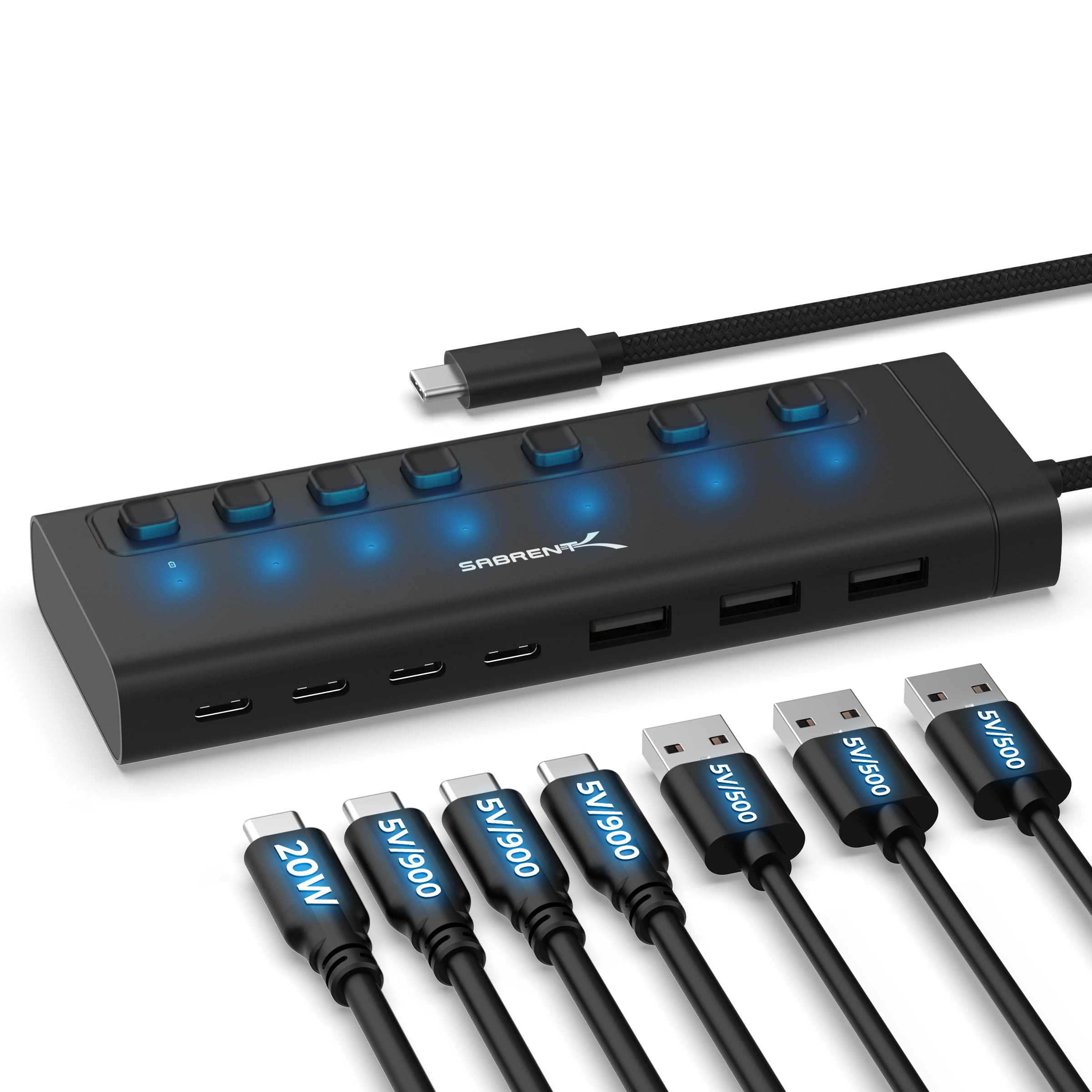
- Provides three USB-A and four USB-C ports.
- Each port has an individual switch and LED.
- Includes a 48W power adapter.
Best For: USB-C host users who need seven mixed USB-A and USB-C ports with individual controls and an included power adapter.
SmallRig 4-in-1 USB-C Hub 4598
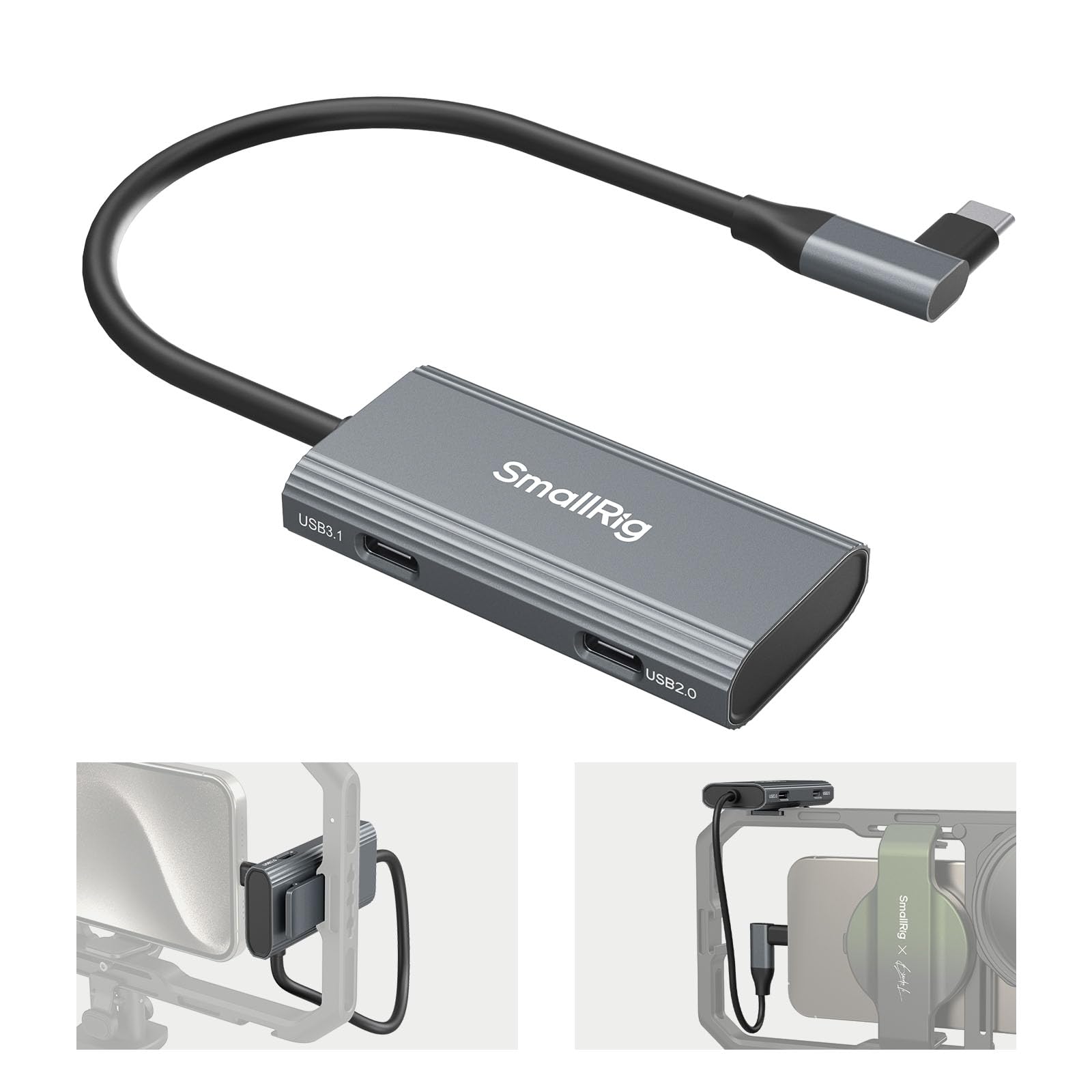
- Includes a USB-C 3.1 port with speeds up to 10Gbps.
- The PD charging port supports up to 100W.
- Has a cold shoe mount for mounting on equipment.
Best For: Mobile video creators who want USB-C data, charging, audio connections, and a mounting point on a phone rig.
SABRENT 10-Port USB 3.0 Hub with Charging (HB-B7C3)
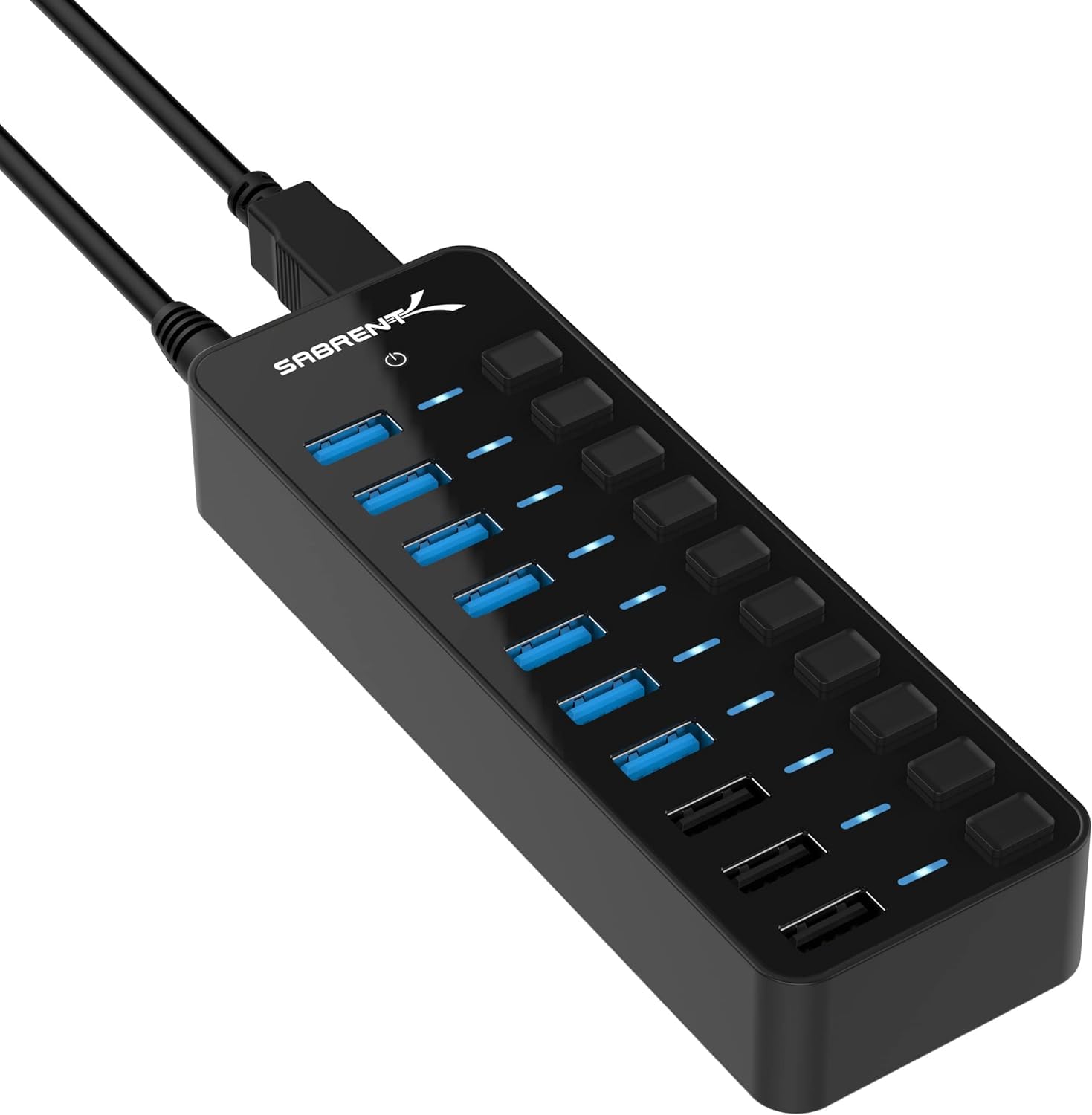
- Supports up to seven USB 3.0 data devices.
- Includes three charging ports rated up to 2.4A each.
- Individual switches and LEDs control each data port.
Best For: Desktop users who want several USB data connections, individual switches, and separate device charging ports.
SABRENT 16-Port USB 3.0 Hub & Charger (HB-PU16)
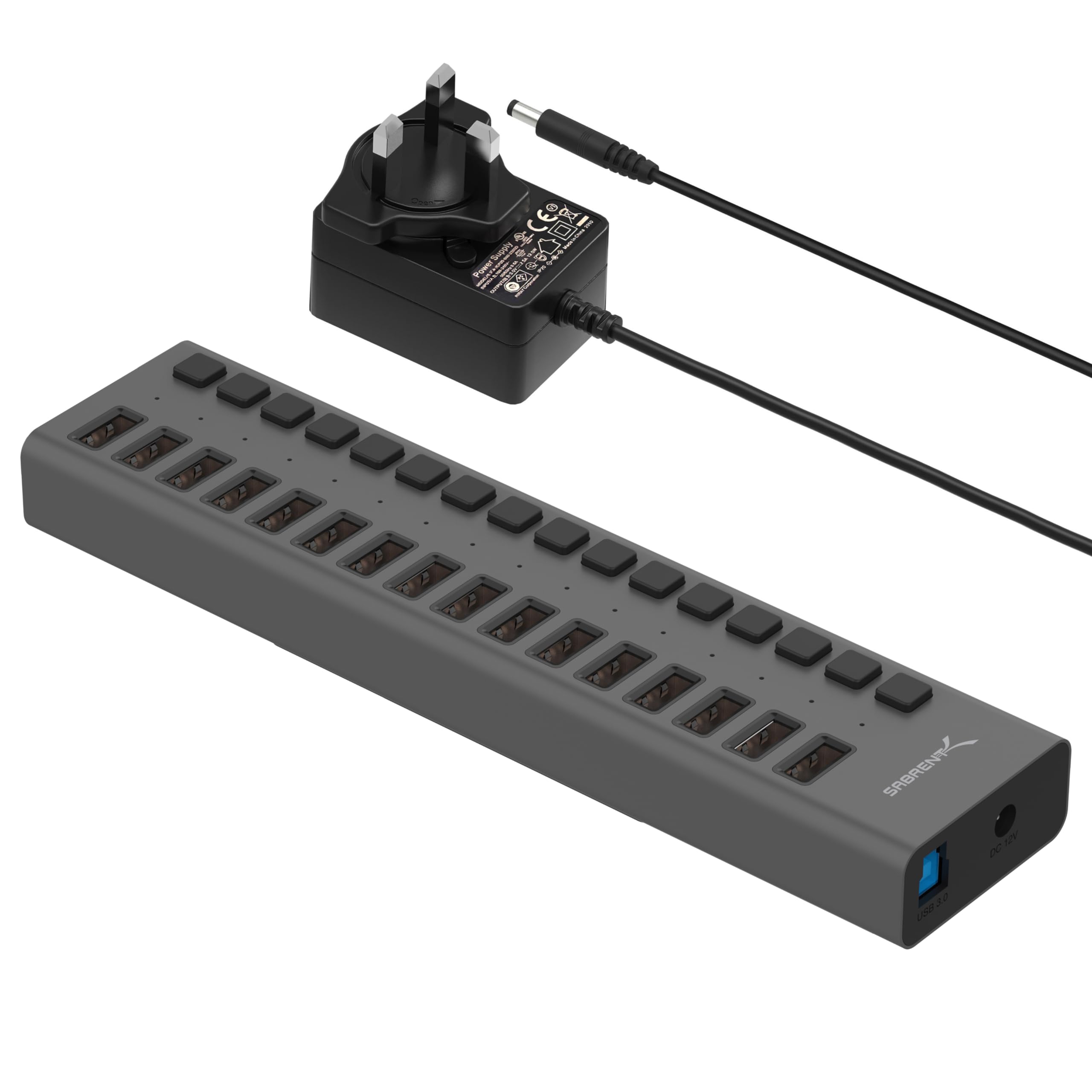
- Provides sixteen USB 3.0 downstream ports.
- Supports data speeds up to 5Gbps.
- Includes blue power-status LEDs for each port.
Best For: Users with many USB-A peripherals who want one powered hub with per-port status indicators.
SABRENT USB-C 5-in-1 Hub with SD/TF (HB-U3CR)
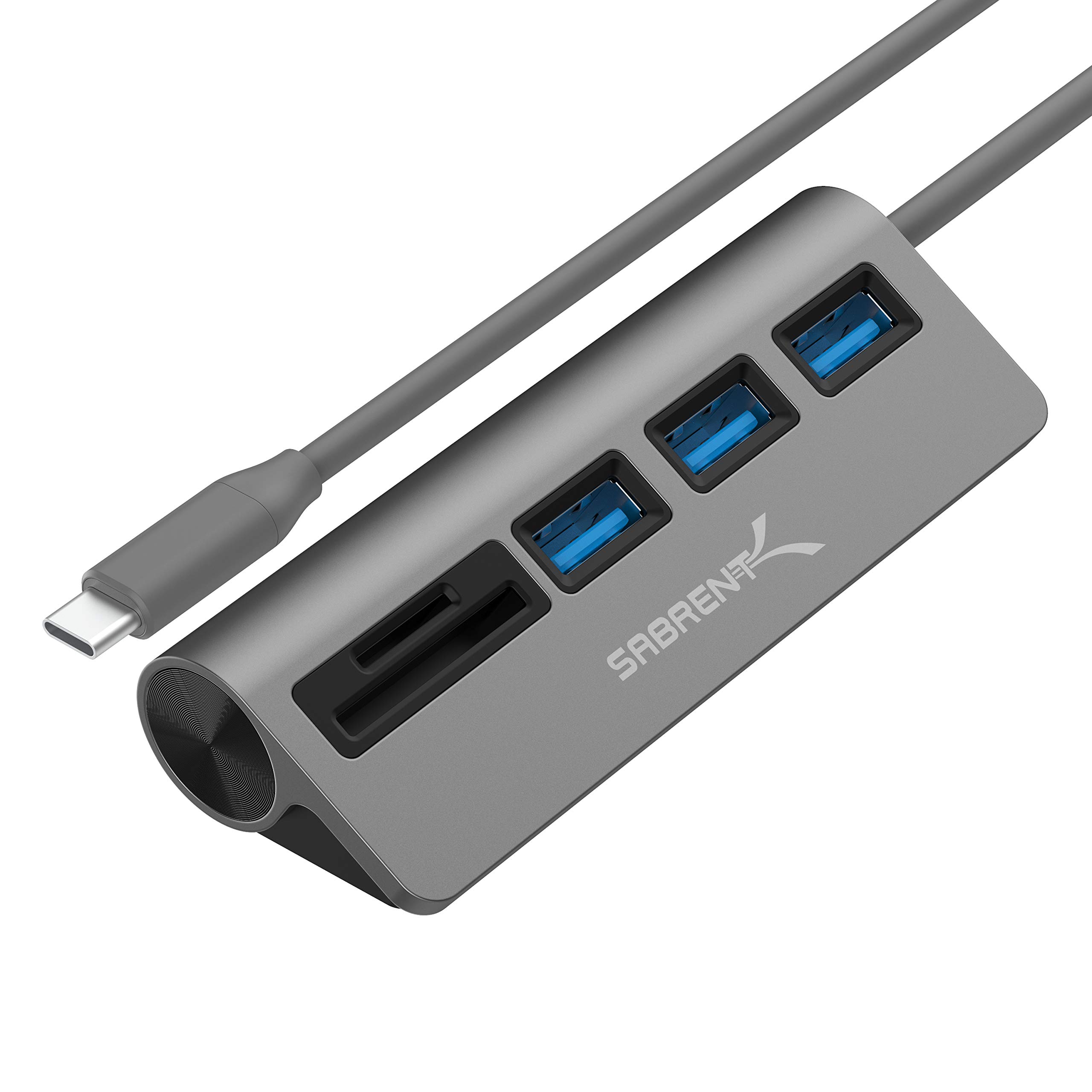
- Includes three USB 3.0 Type-A ports.
- The reader supports SD, SDHC, and microSD.
- Supports transfer speeds up to 5Gbps.
Best For: USB-C laptop and tablet users who transfer files from SD and microSD cards and need extra USB-A ports.
Fast USB-C Data and Display
SABRENT USB C Hub 5-in-1, 10Gbps USB-A & USB-C Ports, Single 4K@60Hz HDMI, 100W PD Input, 80W Laptop Charging, Compact Aluminum Docking Station for MacBook, iPad, Laptops & Tablets (HB-TG5P)
This compact USB-C hub combines four 10Gbps data ports with an HDMI output and a dedicated PD input. It supports display output up to 4K at 60Hz, while a 100W charger can pass up to 80W to the laptop; the power adapter is not included.
Its integrated cable measures 60cm, giving more placement flexibility than a short direct-plug adapter. A backlit logo doubles as the power switch.
The hub suits a mixed desk setup with storage, peripherals, a monitor, and laptop charging, provided the host supports DisplayPort Alt Mode and the extended desktop configuration you need.
Best For: USB-C laptop users who want fast USB-A and USB-C ports, HDMI, and power pass-through.
| Pros | Cons |
|---|---|
|
|
Choose this hub when fast data access across both USB-A and USB-C matters alongside HDMI and laptop charging. The 80W pass-through leaves the charger to be supplied separately, so account for that in a travel kit.
Check that the laptop supports DisplayPort Alt Mode for video and MST if you need extended desktop mode. If you mainly need slower peripherals and a few extra ports, its faster connections may be more than your setup requires.
Hub with Built-In SSD Slot
SABRENT USB-C Hub & SSD Enclosure, 6-Port Dock with M.2 SSD Slot, 90W Power Delivery, USB 3.0 & 2.0 Ports, 4K HDMI, RJ45 Gigabit Ethernet (HB-6PNV)
The HB-6PNV combines common desk connections with an internal M.2 slot, so it can expand a compatible USB-C device and carry extra storage in one hub. Its HDMI 2.0 output supports up to 4K at 60Hz, and Gigabit Ethernet provides a wired network connection.
The three USB-A ports include two 5Gbps ports and one USB 2.0 port for slower accessories. The M.2 slot supports SATA or NVMe drives in 2242, 2260, and 2280 form factors, with SSD connection speeds up to 5Gbps.
Its integrated USB-C connection supports up to 90W bypass charging.
Best For: Traveling laptop or handheld users who want network, display, peripherals, and installable SSD storage.
| Pros | Cons |
|---|---|
|
|
This option fits a portable setup where wired networking and expandable storage are both useful. The SSD slot supports SATA and NVMe drives, but its connection is capped at up to 5Gbps, so check that against the drive and workflow you have in mind.
It also offers HDMI and up to 90W bypass charging. Confirm the host supports DP Alt Mode for video, and budget for an SSD if you do not already have one.
All-Round USB-C Ports and Card Slots
j5create USB-C Multi-Port Hub with Power Delivery with 4K HDMI/2 USB-A 5Gbps/PD 100W Charging SD&Micro SD/3.5mm Audio | for MacBook Pro&Air/iPad Pro/iMac/Surface/XPS/Thinkpad/Galaxy/and More(JCD373EC)
This 7-in-1 USB-C adapter brings together two USB-A data ports, HDMI, an SD and microSD reader, a 3.5mm audio jack, and a 100W PD port. The HDMI output supports up to 4K at 30Hz, a practical fit for compatible external displays.
Its USB-A ports support data transfer up to 5Gbps, while the PD port can charge a laptop. The feature mix is useful for a travel or work adapter where card access and wired audio matter as much as adding USB ports.
Verify the host's USB-C video support before relying on HDMI.
Best For: Laptop users who want HDMI, SD and microSD readers, audio, and USB-A connections in one adapter.
| Pros | Cons |
|---|---|
|
|
Pick this model if card reading and a 3.5mm audio connection are priorities alongside USB-A and HDMI. Its 4K output is specified at 30Hz, so compare that with your display expectations before buying.
The record gives a 100W PD port but does not clarify the wattage passed through to a connected laptop. Check host video compatibility and confirm the charging arrangement suits your device.
Compact HDMI and Charging Adapter
SABRENT Multi-Port USB-C Hub with Power Delivery, HDMI Out, 3 USB A Ports, 4K@60Hz, 90W PD, Aluminum [HB-SHPU]
This aluminum USB-C hub is designed for a compact travel kit, with an integrated 15cm cable and a mix of three USB-A ports, HDMI, and PD pass-through. Its HDMI 2.0 output supports up to 4K at 60Hz on a host device with DisplayPort Alt Mode.
One USB-A port supports up to 5Gbps, while the other two use USB 2.0 speeds for less demanding accessories. PD 3.0 supports up to 90W through USB-C.
The short built-in cable limits extra cable clutter, though it may offer less placement reach than a hub with a longer lead.
Best For: Traveling USB-C laptop users who need HDMI, three USB-A connections, and PD pass-through.
| Pros | Cons |
|---|---|
|
|
Consider this adapter when you want HDMI and laptop charging in a small travel hub, and your accessories include a mix of faster storage and basic peripherals. Only one USB-A port reaches 5Gbps; the other two are USB 2.0, so match them to devices such as keyboards or mice.
The 15cm cable keeps the package compact but gives limited reach. Confirm your laptop supports DP Alt Mode and that its available USB-C port handles the functions you need.
Simple USB-C HDMI Expansion
SABRENT USB C Hub, USB C to HDMI 4K@60Hz, Type C Hub Multiport Adapter, 100W Power Delivery, Compatible with MacBook, Laptop (HB-TC5P)
The HB-TC5P keeps its port selection straightforward: HDMI, three USB-A ports, and a USB-C power input. HDMI 2.0 supports up to 4K at 60Hz, while one USB-A connection reaches 5Gbps and two USB 2.0 ports handle slower accessories.
Its PD input supports up to 100W pass-through, but that connection carries power only, not data or video. The aluminum shell and integrated USB-C cable suit portable laptop use.
This is a practical fit for a monitor, external storage, and basic peripherals, as long as the host USB-C port supports video output.
Best For: USB-C laptop owners who need HDMI, one faster USB-A port, two slower peripheral ports, and charging pass-through.
| Pros | Cons |
|---|---|
|
|
Choose this hub for a familiar monitor-and-peripherals arrangement where the USB-A ports have different jobs: faster external storage on the 5Gbps port and basic accessories on the two USB 2.0 ports. Charging passes through the separate USB-C PD input, which cannot carry data or video.
Before buying, check DP Alt Mode support on the laptop or tablet, and make sure the port layout and speed mix align with your devices.
Powered USB-C Expansion with Port Switches
SABRENT 7-Port USB-C Hub, 48W Powered, 5Gbps, 3 USB-A + 4 USB-C (HB-3A4C) | 20W PD; LED status; aluminum body; power switches; for Mac, PC, Steam Deck, ROG Ally
This powered hub expands a USB-C host with three USB-A and four USB-C ports, each with its own power switch and white LED. All seven ports support up to 5Gbps data transfer, and the included 48W adapter supplies the hub.
Three USB-C ports deliver 5V/900mA, while the fourth supports up to 20W PD for compatible accessories or device charging. It is useful for a desk where different peripherals stay connected and selective port control is welcome.
It does not add HDMI or Ethernet, so those needs call for a different hub design.
Best For: USB-C host users who need seven mixed USB-A and USB-C ports with individual controls and an included power adapter.
| Pros | Cons |
|---|---|
|
|
This is a good match for a powered desk setup with several USB-C and USB-A accessories that benefit from individual on/off control. The 48W adapter is included, and only one USB-C port supports up to 20W PD; the other USB-C ports are specified at 5V/900mA.
There is no HDMI or Ethernet feature in the supplied details. Check whether your host uses the required USB-C connection and whether the distinct port power levels suit your devices.
Mobile Video Rig Hub
SmallRig 4-in-1 USB-C Hub with Cold Shoe Mount
SmallRig's 4-in-1 hub is tailored to mobile video setups rather than a conventional laptop desk. It provides a PD charging port rated up to 100W, a USB-C 3.1 interface supporting up to 10Gbps, and two USB-C 2.0 interfaces.
The hub can keep charging and data connections available during phone shooting, with USB-C microphones or headphones also accommodated. Its cold shoe mount can attach to a standard cold shoe or be clamped to equipment.
At 38.3 g, it is compact for a rig bag, though its USB-C-only port mix will not suit users who need USB-A or HDMI.
Best For: Mobile video creators who want USB-C data, charging, audio connections, and a mounting point on a phone rig.
| Pros | Cons |
|---|---|
|
|
Select this specialized hub if your USB-C phone is part of a mobile video rig and a cold shoe attachment matters. It combines a 10Gbps port, two USB 2.0 ports, and up to 100W PD charging, with a light 38.3 g body.
Its port mix is narrow for general laptop expansion, and the notes do not establish whether a separate host cable is included. Check your phone's USB-C compatibility and rig mounting arrangement.
Ten Ports with Dedicated Charging
SABRENT 10-Port USB 3.0 Hub, Individual Power Switches and LEDs, 3 Smart Charging Ports, 60W Power Adapter, for PC, Mac, Xbox, PS5, Laptop, Desktop, USB Devices (HB-B7C3)
This powered desktop hub combines seven USB 3.0 data ports with three dedicated charging ports. The data ports support up to 5Gbps, and each has its own power switch and LED indicator.
A 60W, 12V/5A power adapter is included, while the charging ports auto-detect and provide up to 2.4A per port. This layout is suited to a workspace with drives and peripherals that remain plugged in, plus phones or tablets that need a separate charging connection.
It has a broader desk-oriented footprint in function than a travel adapter, and it does not include USB-C host or display expansion.
Best For: Desktop users who want several USB data connections, individual switches, and separate device charging ports.
| Pros | Cons |
|---|---|
|
|
This hub suits a fixed workspace that needs many USB data connections and separate charging access. Its seven data ports are distinct from the three charging ports, so check which devices need data syncing and which only need power.
The included 60W adapter powers the hub, and the data ports have individual switches. The product title's ten-port total reflects a different arrangement from the seven data plus three charging ports described in the notes; confirm the physical port layout before purchase.
Large USB-A Device Array
SABRENT 16-Port USB 3.0 Data Hub and Charger with Individual Power Switches, 90W High-Power Output (HB-PU16)
The HB-PU16 provides sixteen downstream USB 3.0 ports, making it a high-capacity option for a desk or equipment area with many USB-A devices. It supports data transfer up to 5Gbps and is backward compatible with USB 2.0 and USB 1.1.
Blue LEDs show the power status of each port, and plug-and-play, hot-swappable operation keeps setup simple. The hub can also connect peripherals for charging, but the supplied details do not specify charging output per port or identify a power adapter.
It is a specialized choice when port count is the priority, rather than a compact laptop adapter with display or card-reader features.
Best For: Users with many USB-A peripherals who want one powered hub with per-port status indicators.
| Pros | Cons |
|---|---|
|
|
Pick this hub when the main challenge is connecting a large number of USB-A peripherals in one place. It has sixteen downstream ports and supports up to 5Gbps, but the details do not give charging output per port or clarify the power adapter arrangement.
That makes it less straightforward to plan around power-hungry devices than a model with explicit adapter and charging ratings. Check power requirements and available desk space before choosing it.
USB-C Hub with Dual Card Reader
SABRENT USB-C 3.0 Hub, 5-in-1 USB SD Card Reader, SD & TF Dual Slot + 3 USB 3.0 Hub Portable Compatible with MacBook, Mac Pro/Mini, iMac, XPS, Surface Pro, Windows, Thunderbolt (HB-U3CR)
This compact USB-C hub focuses on card access and USB-A data expansion. It includes three USB 3.0 Type-A ports and an all-in-one reader supporting SD, SDHC, and microSD cards.
The listed transfer speed is up to 5Gbps for data, and the hub supports plug-and-play, hot-swappable use. Its combination suits photographers or other users who regularly move files from camera cards while keeping common USB peripherals connected.
The record does not specify HDMI output or USB-C power delivery, so it is not a display or laptop-charging hub. Check the card formats and host connection against your equipment.
Best For: USB-C laptop and tablet users who transfer files from SD and microSD cards and need extra USB-A ports.
| Pros | Cons |
|---|---|
|
|
This option makes sense for users who frequently transfer files from SD or microSD cards and also want three USB-A ports. Its role is data expansion; the available details do not specify PD charging or display output.
Compare the reader's supported formats with your cards and make sure the host device accepts its USB-C connection. If video and laptop charging are central, one of the HDMI and PD-equipped adapters is a closer fit.
How to Choose Usb Hubs
How We Picked USB Hubs
The selection covers distinct ways to expand a computer or mobile setup: compact USB-C adapters with HDMI, hubs with card readers, powered desktop units with many ports, and a creator-focused phone rig hub. Port count alone does not determine fit.
We considered connection type, data speeds, display support, charging details, and whether a product addresses a clear use case.
The candidates also differ in how they handle power. Some pass laptop charging through USB-C, some have dedicated device-charging ports, and some provide external power for connected peripherals.
Those functions are not interchangeable, so the guide keeps the specified ratings and port roles separate.
Comparing USB Hubs by Port Type and Setup
For a USB-C laptop desk with a monitor, the SABRENT HB-TG5P pairs 4K at 60Hz HDMI with four 10Gbps data ports and up to 80W laptop pass-through from a separate charger. The HB-SHPU and HB-TC5P also combine HDMI, USB-A, and PD, but their USB-A speed mix is narrower.
The j5create JCD373EC adds SD and microSD reading plus a 3.5mm audio connection, with 4K output specified at 30Hz.
The M.2-equipped HB-6PNV stands apart by combining storage expansion with Gigabit Ethernet and display output. For a powered desktop, the HB-B7C3 separates seven USB 3.0 data ports from three charging ports, while the HB-PU16 prioritizes a larger count of downstream USB-A ports.
The HB-3A4C offers a mix of USB-A and USB-C connections with switches on each port, and the SmallRig hub serves a phone-mounted video rig rather than a general computer setup.
| Product | Standout features | Best for |
|---|---|---|
| SABRENT 5-in-1 USB-C Hub (HB-TG5P)Check Price |
| USB-C laptop users who want fast USB-A and USB-C ports, HDMI, and power pass-through. |
| SABRENT USB-C 6-Port Hub & M.2 Dock (HB-6PNV)Check Price |
| Traveling laptop or handheld users who want network, display, peripherals, and installable SSD storage. |
| j5create USB-C 7-in-1 Hub (JCD373EC)Check Price |
| Laptop users who want HDMI, SD and microSD readers, audio, and USB-A connections in one adapter. |
| SABRENT USB-C Hub with 4K HDMI (HB-SHPU)Check Price |
| Traveling USB-C laptop users who need HDMI, three USB-A connections, and PD pass-through. |
| SABRENT USB-C Hub with 4K HDMI (HB-TC5P)Check Price |
| USB-C laptop owners who need HDMI, one faster USB-A port, two slower peripheral ports, and charging pass-through. |
| SABRENT 7-Port USB-C Hub (HB-3A4C)Check Price |
| USB-C host users who need seven mixed USB-A and USB-C ports with individual controls and an included power adapter. |
| SmallRig 4-in-1 USB-C Hub 4598Check Price |
| Mobile video creators who want USB-C data, charging, audio connections, and a mounting point on a phone rig. |
| SABRENT 10-Port USB 3.0 Hub with Charging (HB-B7C3)Check Price |
| Desktop users who want several USB data connections, individual switches, and separate device charging ports. |
| SABRENT 16-Port USB 3.0 Hub & Charger (HB-PU16)Check Price |
| Users with many USB-A peripherals who want one powered hub with per-port status indicators. |
| SABRENT USB-C 5-in-1 Hub with SD/TF (HB-U3CR)Check Price |
| USB-C laptop and tablet users who transfer files from SD and microSD cards and need extra USB-A ports. |
Choosing a USB-C Hub for a Laptop
Check what the host USB-C port supports before relying on HDMI or PD. Video output in these candidates requires DisplayPort Alt Mode, and not every USB-C port supports video.
If you need an extended desktop, confirm any additional host requirements, such as MST for the HB-TG5P. Also distinguish a hub's PD input rating from the power that reaches the laptop: the HB-TG5P specifies up to 80W to the host from a 100W charger, while the HB-TC5P specifies up to 100W pass-through.
Match USB-A speeds to the connected devices. Fast external storage benefits from a 5Gbps or 10Gbps port, while keyboards, mice, and similar accessories can use slower USB 2.0 connections.
If your routine includes camera cards, choose a hub with the formats you use; the j5create option names SD and microSD, while the SABRENT HB-U3CR lists SD, SDHC, and microSD support.
Powered USB Hubs for a Desk Setup
For a fixed workstation, external power and per-port controls can matter more than a compact body. The HB-B7C3 includes a 60W adapter, individual switches on its data ports, and three dedicated charging ports rated up to 2.4A each.
The HB-3A4C includes a 48W adapter and provides switches across seven mixed USB-A and USB-C ports, with only one USB-C port supporting up to 20W PD. The HB-PU16 gives you sixteen downstream ports, but its details do not specify charging output per port or adapter information.
Count the ports by function rather than relying only on a headline total. A charging-only port cannot replace a data port when syncing a phone or connecting storage.
Confirm the host connector as well: USB-A expansion hubs and USB-C adapters serve different computers and connection needs.
Which USB Hub Fits Your Setup?
Choose the HB-TG5P for a USB-C laptop desk that needs fast data, HDMI, and laptop power pass-through; choose the HB-6PNV if built-in M.2 storage and wired Ethernet are useful. The j5create JCD373EC suits users who value card slots and wired audio, while the HB-SHPU and HB-TC5P provide a simpler HDMI-and-USB-A mix for travel or everyday laptop use.
For a phone-based video rig, the SmallRig 4598 has the specialized cold shoe mount and USB-C port mix. At a desk, choose the HB-B7C3 for its distinct data and charging ports, the HB-3A4C for mixed USB-A and USB-C expansion with per-port switches, or the HB-PU16 when a large number of USB-A connections is the main need.