The best camera mounts depend on where you need to attach your gear and how you want to adjust it. These options cover monitor supports, clamps, cage mounts, and a desk stand, so check each connection type and device fit before choosing.
Quick Top Products
SmallRig Cool Ballhead Arm Clamp 1138
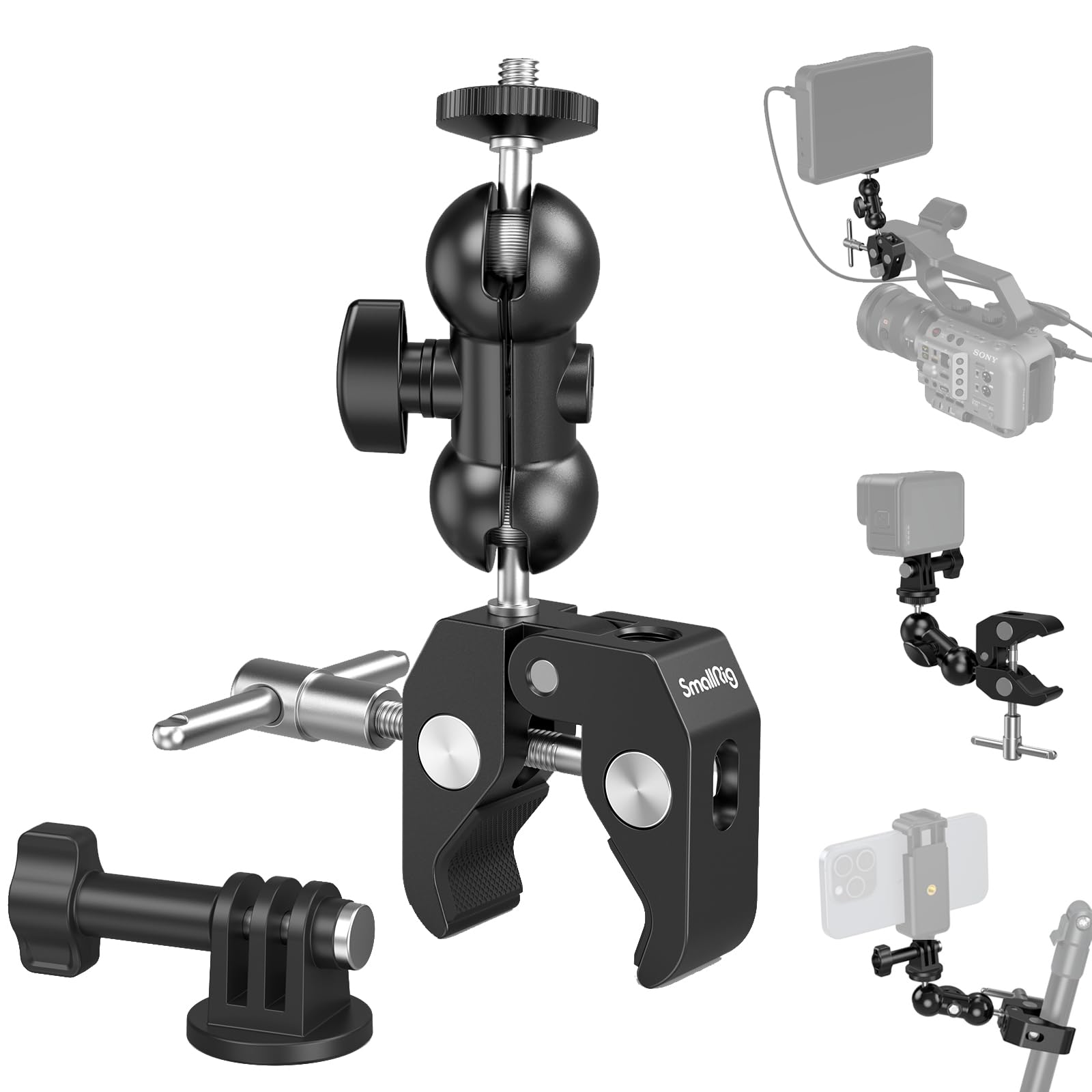
- Clamps to a rod, tube, table, or frame without drilling.
- The double ball head and 1/4-inch-20 screw fit cameras and accessories.
- Includes an adapter mount for an action camera.
Best For: Creators who want to attach a small camera or accessory to a desk, rod, or frame.

SmallRig 9.8-Inch Magic Arm Clamp Kit
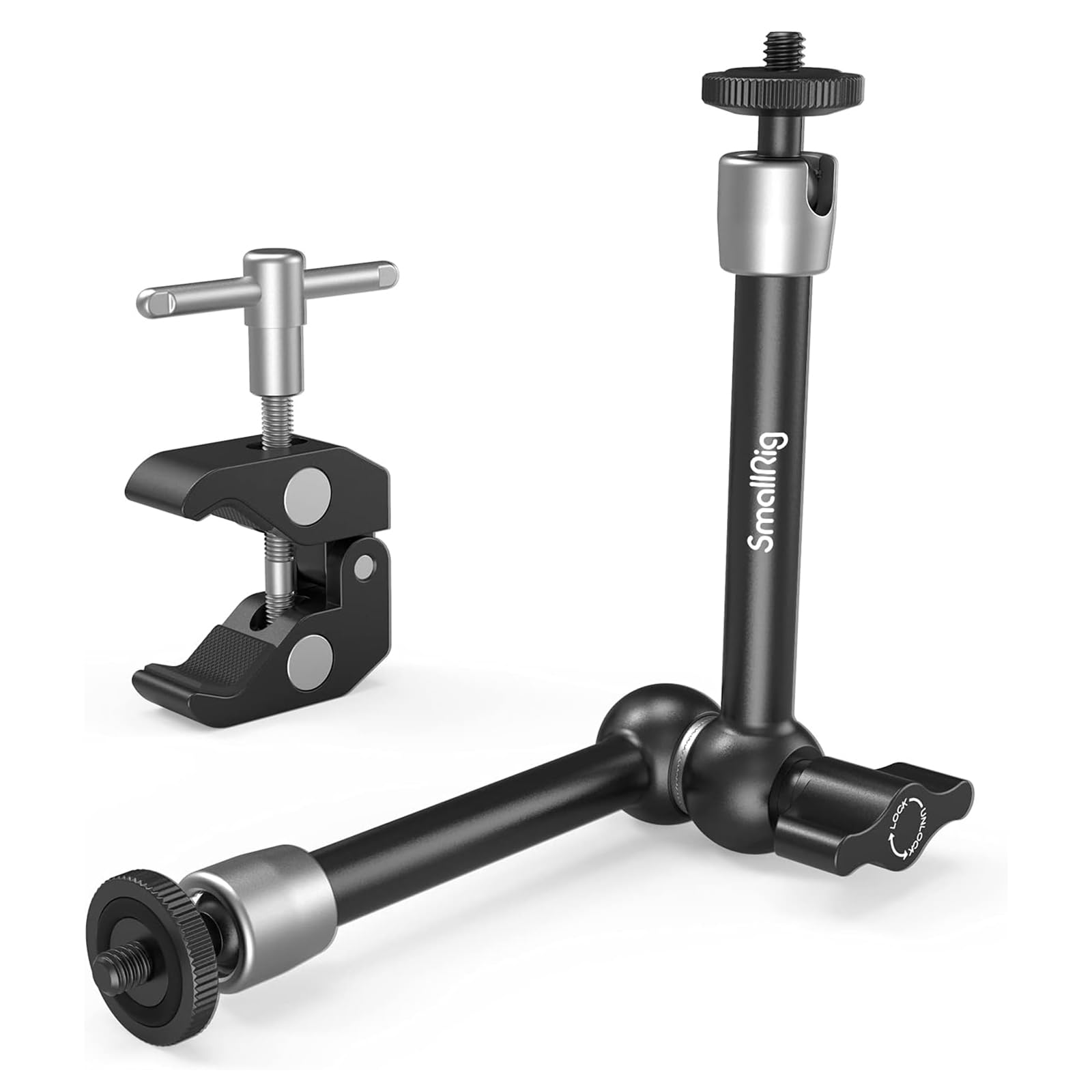
- The articulating arm measures 9.8 inches (25 cm).
- The clamp opens from 15 mm to 54 mm.
- Both the clamp and arm have rubber cushions.
Best For: Filmmakers positioning a monitor, light, or microphone off a clampable surface.
SmallRig Field Monitor Mount BSE2346
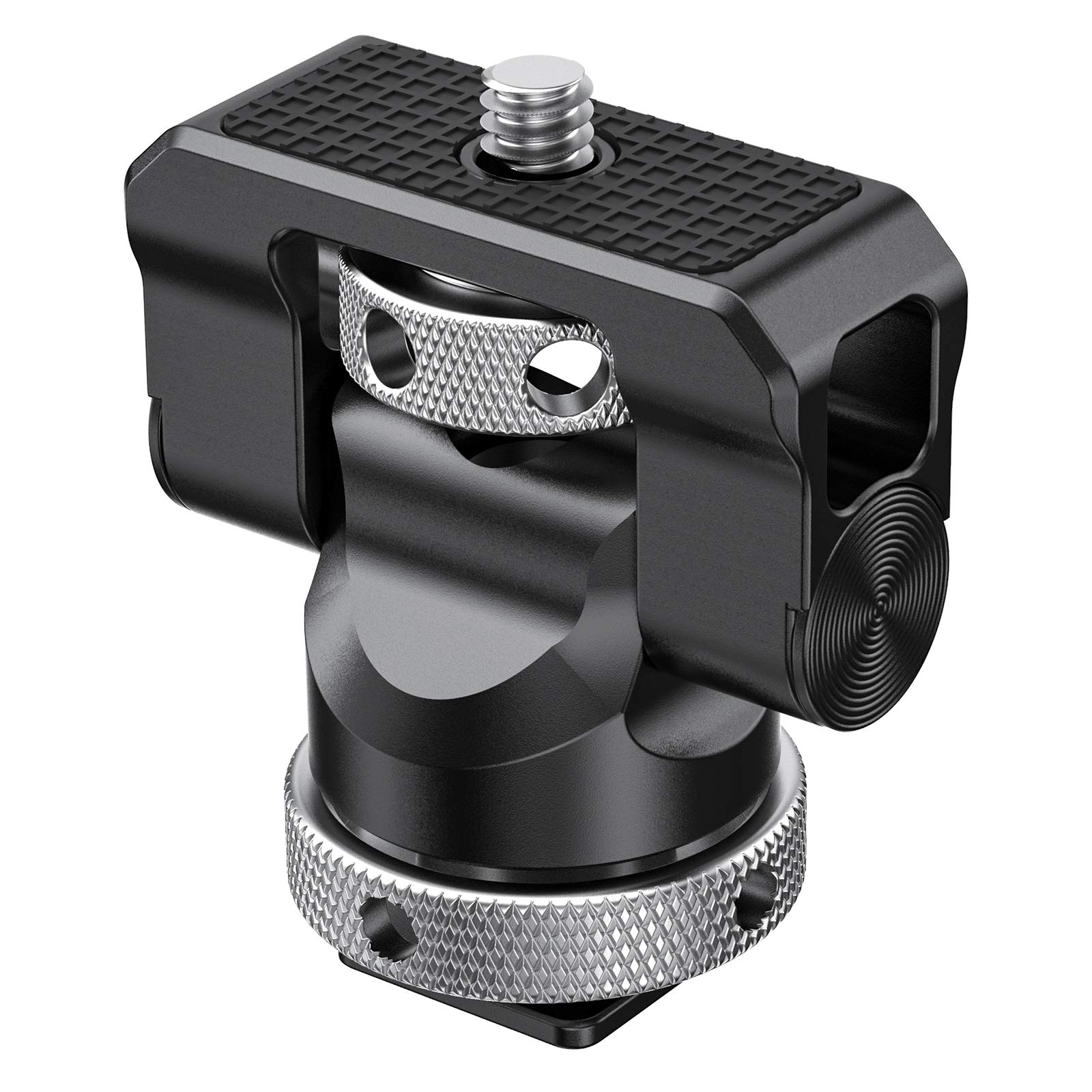
- Designed for monitors measuring 5 or 7 inches.
- Provides 360-degree swivel and 140-degree tilt.
- Supports monitors weighing up to 1.2 kg.
Best For: Camera operators mounting a 5- or 7-inch monitor on a cold shoe.
SmallRig Sony A6700 Cage Kit 4336
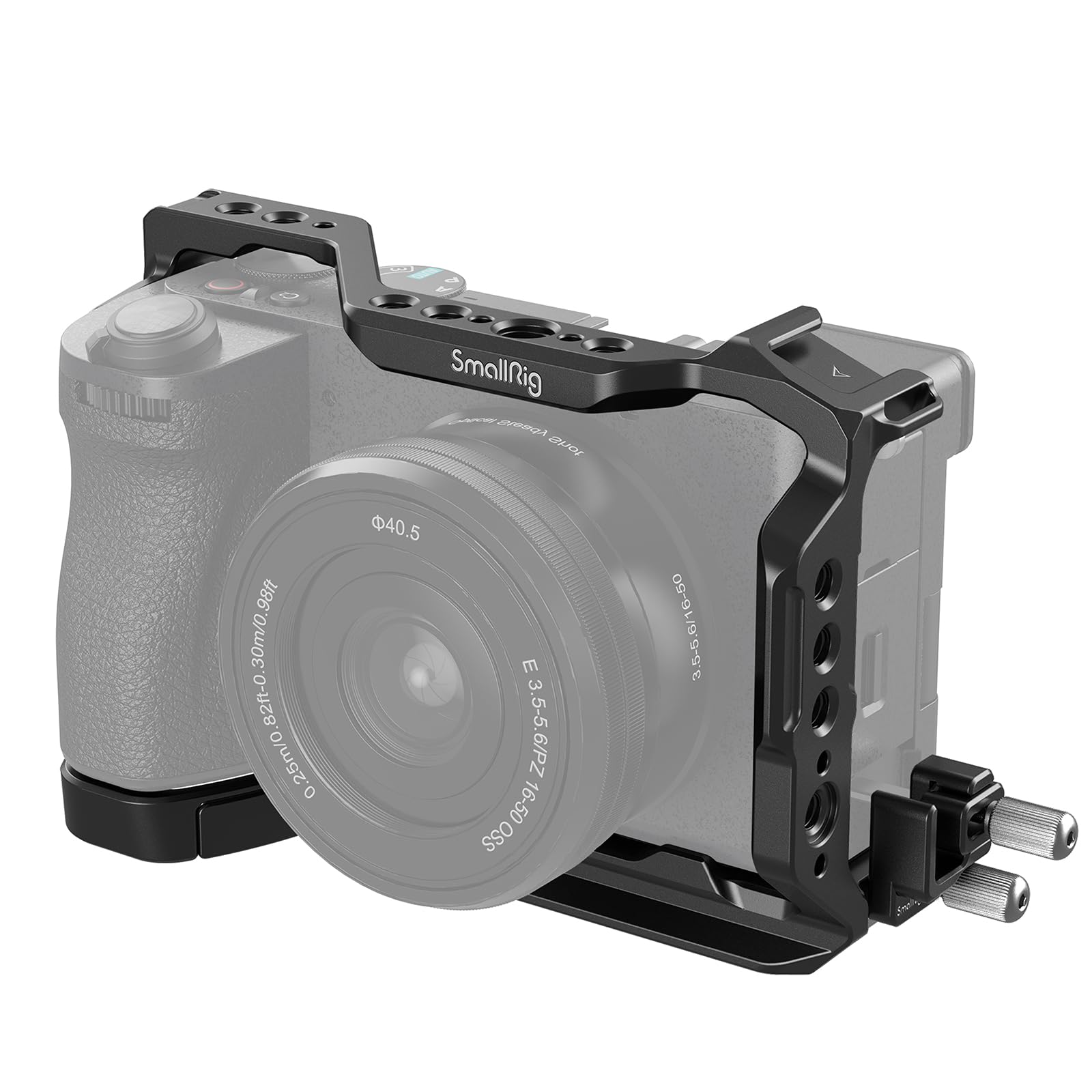
- Designed for the Sony A6700 and includes an HDMI cable clamp.
- Provides 1/4-inch-20 and 3/8-inch-16 threaded mounting points.
- Has a built-in Arca-Swiss quick-release plate.
Best For: Sony A6700 owners building a cage-based rig with accessory mounting points.
SmallRig Adjustable Monitor Mount 6314
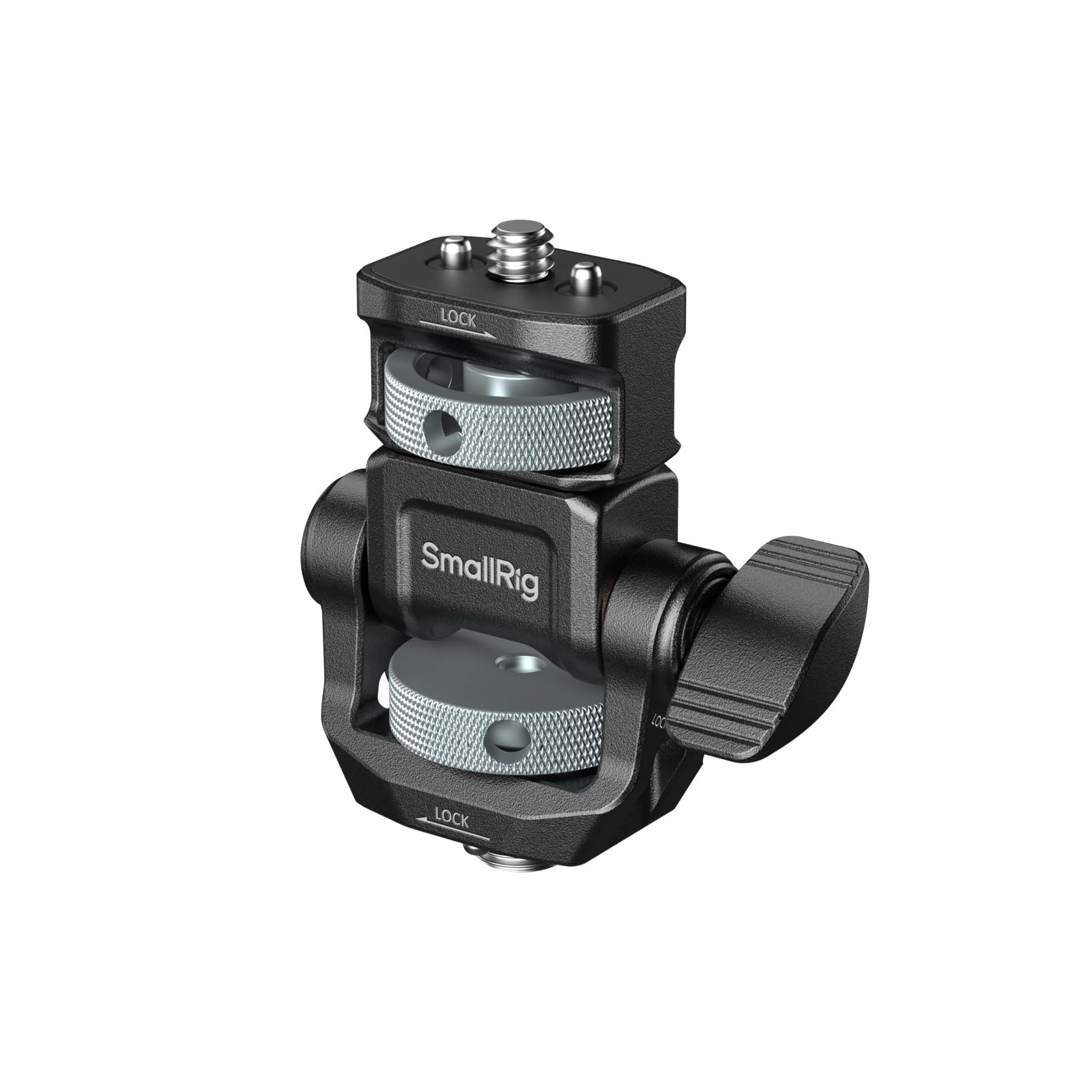
- The base uses a 3/8-inch-16 locating screw for ARRI mounts.
- Supports horizontal and vertical monitor installation.
- Offers 360-degree pan and 180-degree tilt.
Best For: Video creators who need an anti-twist monitor mount with an ARRI-style base.
SmallRig Mini Ball Head Mount 2059 (2-Pack)
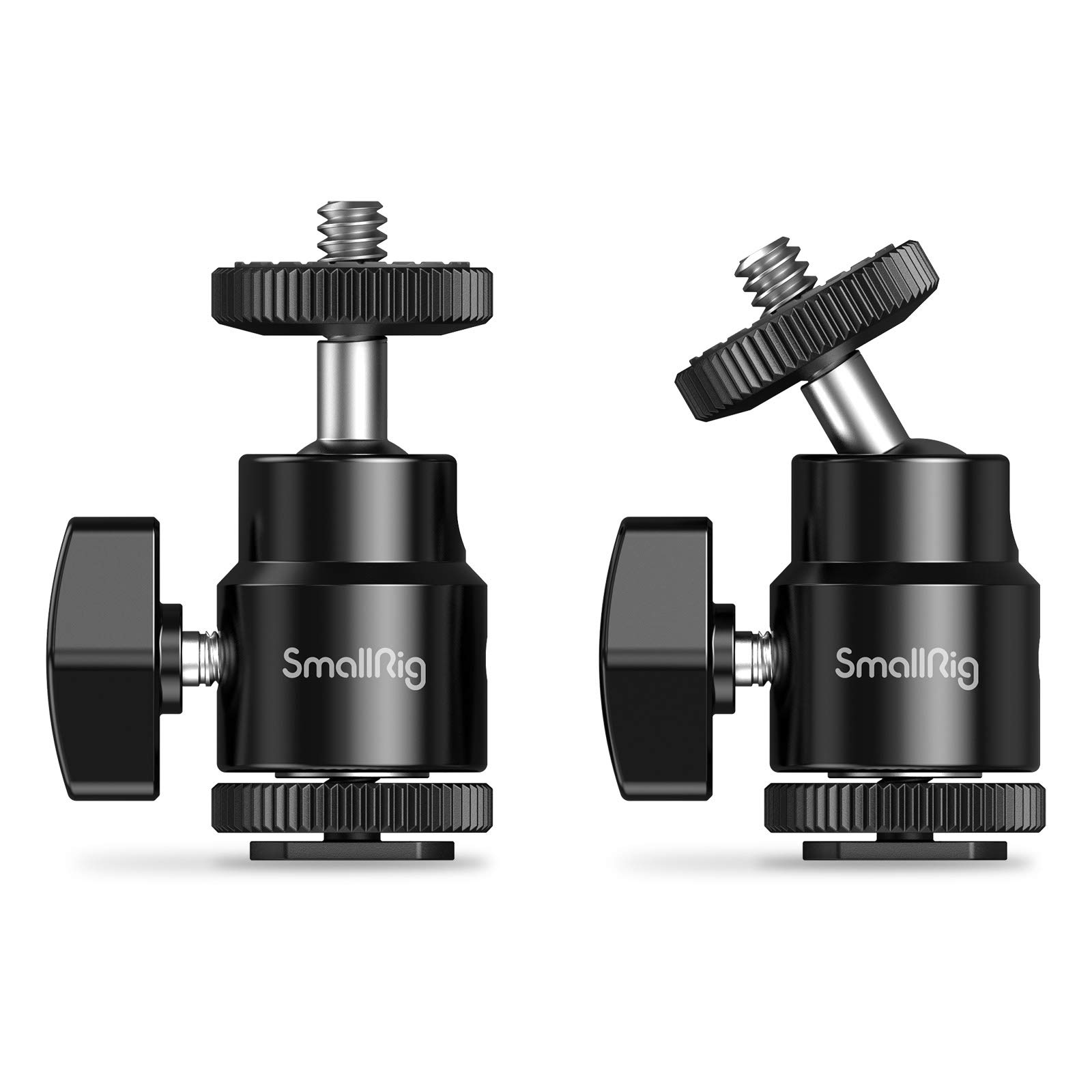
- The package contains two mini ball head mounts.
- The cold-shoe adapter works with most cameras.
- The ball head adjusts to different viewing positions.
Best For: Creators who need two compact cold-shoe ball heads for cameras or monitors.
SmallRig Camera Monitor Mount 6313
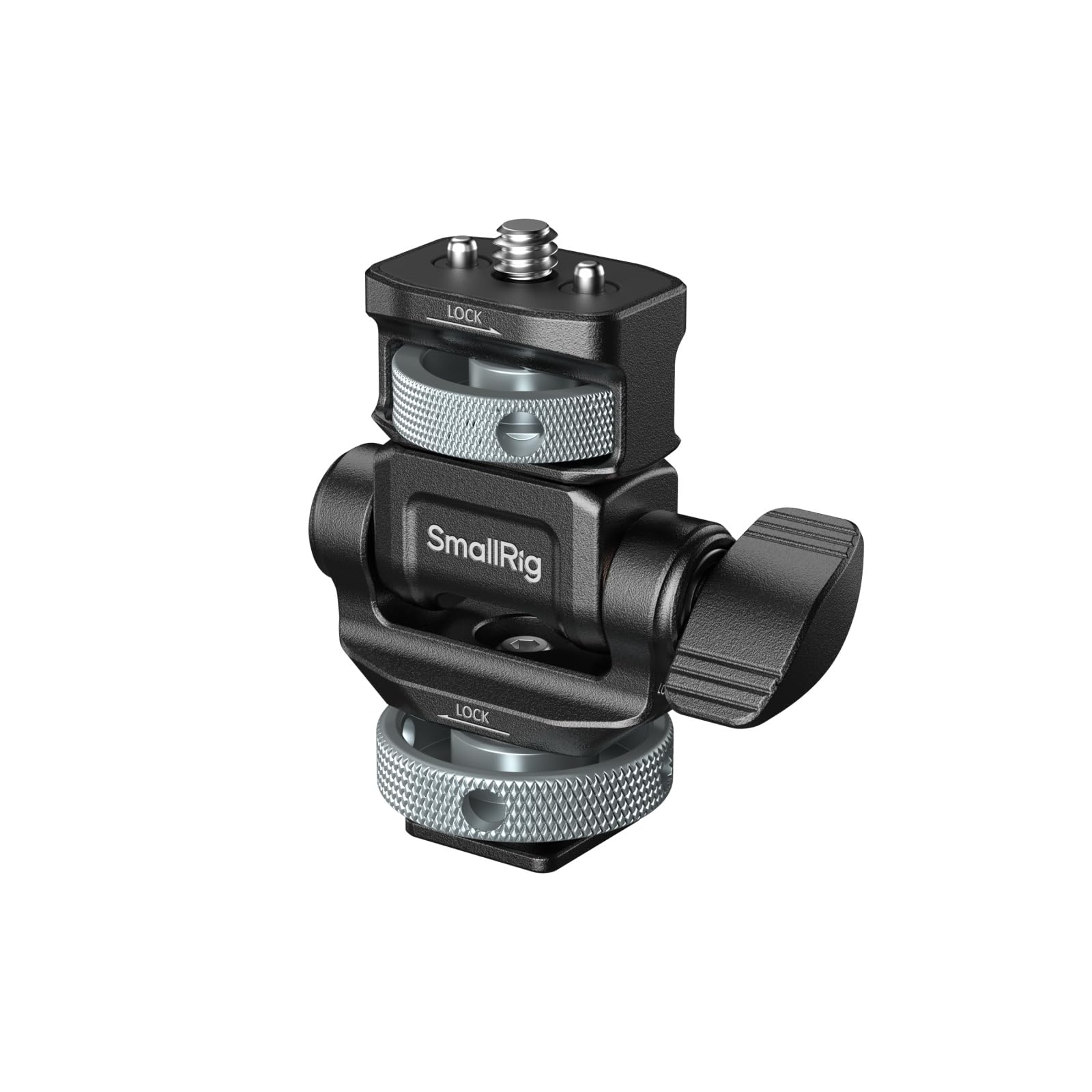
- The base fits into a cold or hot shoe and locks in place.
- The monitor connection has a retractable locating screw and pins.
- It supports horizontal and vertical mounting.
Best For: Operators mounting a monitor to a cold shoe and adjusting between portrait and landscape.
SmallRig Super Clamp with 1/4 and 3/8 Threads
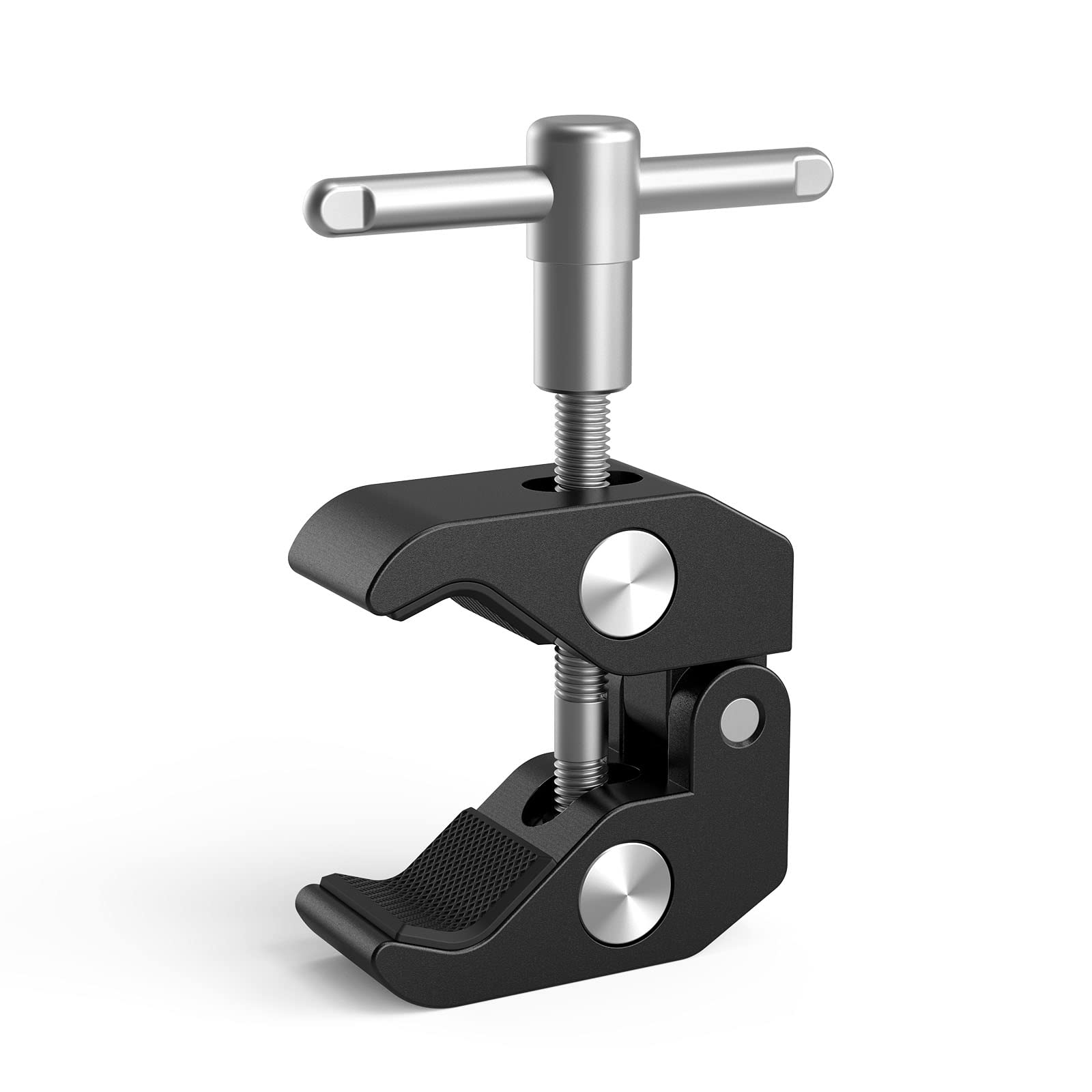
- The jaw opens from 15 mm to about 40 mm.
- It has 1/4-inch and 3/8-inch threaded holes.
- Rubber pads help prevent slipping and scratches.
Best For: Photographers attaching a compatible accessory directly to a table edge, tube, shelf, or crossbar.
SmallRig 11-Inch Magic Arm Clamp 5311
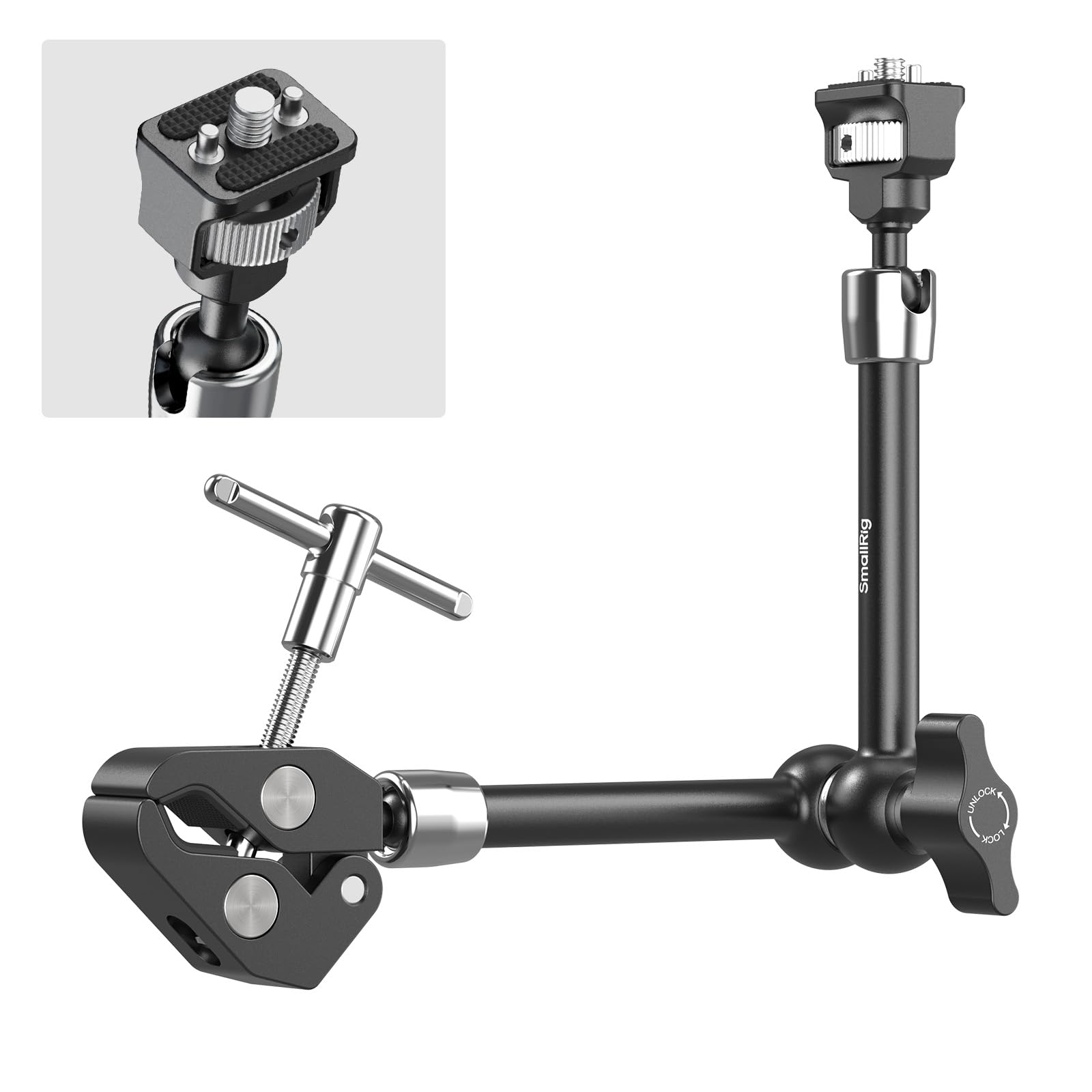
- The arm measures 11 inches and includes a crab-shaped clamp.
- Retractable pins help prevent connected devices from twisting.
- The clamp fits supports with diameters from 15 to 40 mm.
Best For: Vloggers and studio creators positioning an action camera, light, or monitor from a clamped support.
SmallRig 7-Inch Magic Arm Clamp 5310
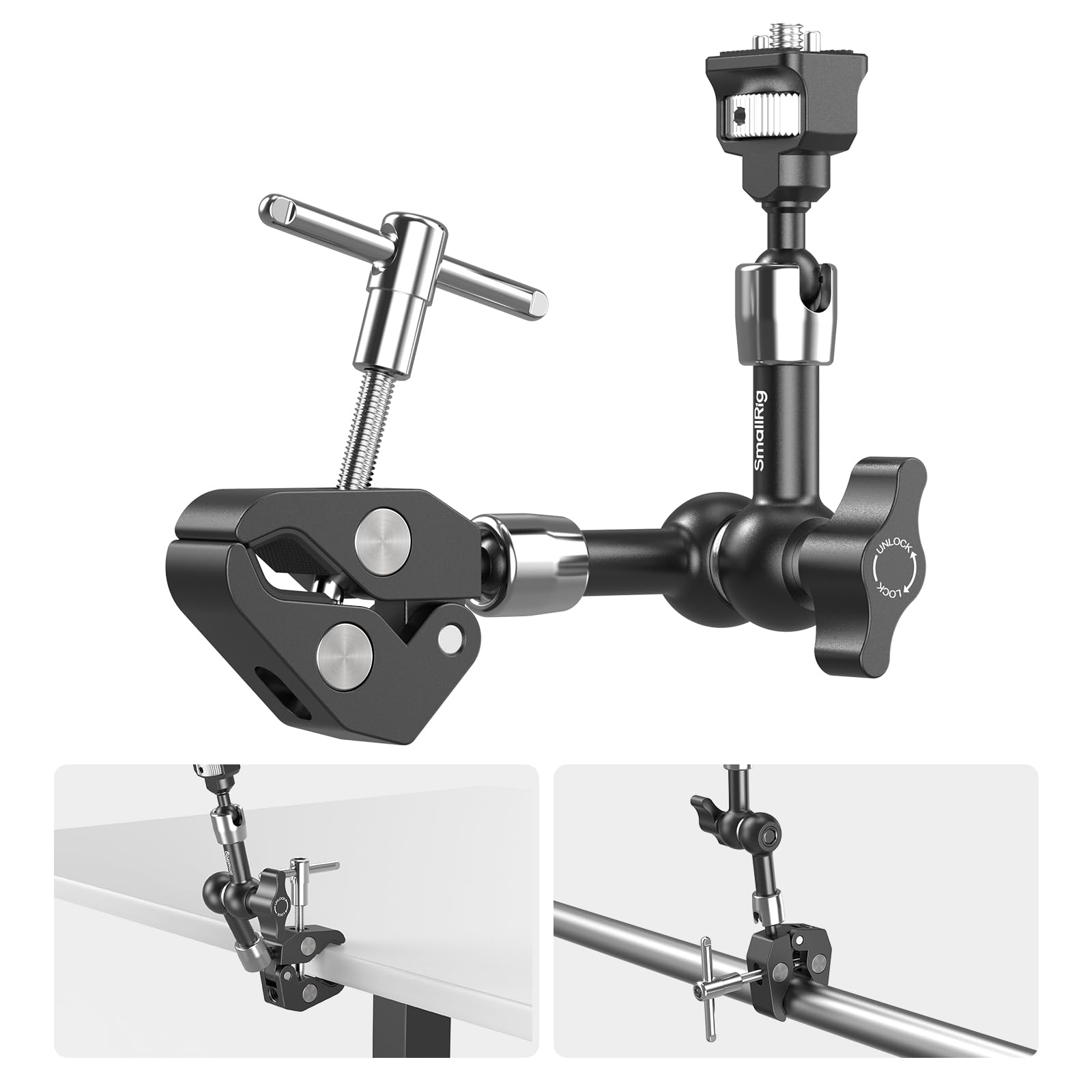
- The kit includes a 7-inch magic arm and crab-shaped clamp.
- Its 1/4-inch-20 screw includes retractable pins.
- The clamp fits supports from 15 to 40 mm in diameter.
Best For: Creators who need a shorter clamp arm for a compact camera, monitor, light, or microphone.
Compact Clamp for Desks and Tubes
SmallRig Cool Ballhead Arm Super Camera Clamp Mount Double Ball Adapter, Fence Desk Table Mount for Ronin-M for Insta360, for Gopro - 1138
The SmallRig 1138 combines a super clamp with a double ball adapter, giving you a way to position a camera or accessory without drilling into a desk or frame. Its 1/4-inch-20 screw and included action camera adapter broaden the mounting options, while the locking knob secures the clamp to a rod, tube, table, or similar support.
The aluminum and stainless steel construction keeps the assembly compact. Its maximum supported weight is 1.5 kg, so it suits smaller setups rather than heavy rig components.
For use in moving situations, plan to attach a safety rope as directed in the product notes.
Best For: Creators who want to attach a small camera or accessory to a desk, rod, or frame.
| Pros | Cons |
|---|---|
|
|
Choose this clamp when you need to attach a camera or accessory to a desk edge, tube, or frame and want an action camera adapter in the package. The 1.5 kg capacity makes payload checks important, especially with a monitor or a rig that moves.
Confirm that the clamp can grip your support surface and that the device connection matches your camera. Its flexible positioning is useful for improvised setups, while a dedicated monitor mount may be a more direct fit for a field monitor.
Long Reach with a 360-Degree Ball Arm
SMALLRIG 9.8 Inches Magic Arm Clamp Kit with 1/4" and 3/8" Threaded Holes
This kit pairs a 9.8-inch articulating arm with a super clamp, allowing accessories to sit away from the point where the clamp attaches. Both ends of the arm use 1/4-inch screws, and the clamp has 1/4-inch and 3/8-inch threads for compatible mounting arrangements.
The double ball head rotates through 360 degrees, which helps when aiming a monitor or light. Rubber cushions sit on both the clamp and arm.
The clamp opens from 15 mm to 54 mm, so measure the support surface first. The kit is aluminum alloy and stainless steel, but its notes warn against seawater use and clarify it is not magnetic.
Best For: Filmmakers positioning a monitor, light, or microphone off a clampable surface.
| Pros | Cons |
|---|---|
|
|
Pick this kit when you need an articulating arm between a support point and a monitor, light, or microphone. Its longer reach offers more placement freedom than a simple clamp or shoe mount, but also means you should think carefully about the surface and the weight of the accessory.
Check that the support fits the 15–54 mm jaw range and that the accessory uses the arm's 1/4-inch connection. The notes specifically rule out seawater use, so it is a poor fit for that environment.
Cushioned Cold-Shoe Monitor Support
SmallRig Field Monitor Mount Holder with Cold Shoe and 1/4" Inch Screw for 5 Inch and 7 Inch Monitor, with 360 Degree Swivel and 140 Degree Tilt, Rubber Cushion, Aluminum Alloy Build - BSE2346
The BSE2346 is a dedicated field-monitor holder that connects to a camera or another mounting system through a cold shoe. It supports 5- and 7-inch monitors and uses a bottom 1/4-20 screw to secure the display.
The holder swivels 360 degrees horizontally and tilts 140 degrees vertically, giving you a broad range of viewing angles. Rubber cushions help protect the monitor surface and add friction at the contact point.
The CNC-machined aluminum mount weighs 82 g and supports monitors up to 1.2 kg. Confirm that your camera or rig has a compatible cold shoe and that your monitor falls within those limits.
Best For: Camera operators mounting a 5- or 7-inch monitor on a cold shoe.
| Pros | Cons |
|---|---|
|
|
This mount is a strong fit when your monitor is a 5- or 7-inch model and your camera rig offers a cold shoe. The 360-degree swivel and 140-degree tilt give useful flexibility for reframing, while the stated 1.2 kg limit gives a clear payload boundary.
Before buying, verify both the shoe connection and the monitor's weight. If your rig uses an ARRI locating point or a 1/4-inch screw instead, one of the other monitor mounts may match your setup more directly.
Camera Cage with HDMI Cable Clamp
SmallRig Cage Kit for Sony A6700 with a Cable Clamp for HDMI - 4336
This cage kit is made specifically for the Sony A6700 and includes an HDMI cable clamp. The cage has 1/4-inch-20 and 3/8-inch-16 threaded holes, a cold shoe, and a quick-release plate for Arca-Swiss, giving a rig several ways to accept accessories and switch among compatible support systems.
It retains access to the camera's ports, controls, and battery door. The cable clamp can be removed when you need to use the headphone jack.
The product notes also call for removing the camera's right-side strap ring before installation. Check that exact camera fit and the installation requirements before choosing it.
Best For: Sony A6700 owners building a cage-based rig with accessory mounting points.
| Pros | Cons |
|---|---|
|
|
Choose this cage when you own a Sony A6700 and want a camera-mounted framework for handles, lights, microphones, or other accessories. The Arca-Swiss plate and multiple thread types make it useful for a rig that moves between support systems.
Its fit is camera-specific, and installation requires removing the right-side strap ring. Also check whether you need the headphone jack during a shoot, since the HDMI clamp must come off to use it.
ARRI Locating Mount for Portrait and Landscape
SMALLRIG Adjustable Camera Monitor Mount with 3/8"-16 Locating Screw for ARRI, 360° Swivel and 180° Tilt, Anti-Twist 1/4" Locating Screw, Horizontal & Vertical Shooting
The SmallRig 6314 attaches a compatible monitor to a camera cage, top handle, or support accessory using a 3/8-inch-16 ARRI locating screw. Its top connection includes a retractable 1/4-inch-20 locating screw and locating pins to help keep a monitor from twisting.
You can mount the monitor horizontally or vertically, then adjust its position with 360-degree pan and 180-degree tilt. A thumb knob adjusts the tilt damping, and an included L-shaped Allen wrench allows additional tightening.
The mount is made from anodized aluminum alloy and stainless steel. Check your support for the right locating point and your monitor for a compatible 1/4-inch connection.
Best For: Video creators who need an anti-twist monitor mount with an ARRI-style base.
| Pros | Cons |
|---|---|
|
|
This mount suits a rig already built around ARRI locating points and a monitor with a 1/4-inch-20 mounting connection. Its portrait and landscape support is useful if framing changes between formats, and the anti-twist details address a common concern with monitor positioning.
Check the attachment standard on both ends before buying. The product notes do not give a maximum monitor weight, so confirm that limit for your specific display and setup.
Two Cold-Shoe Ball Heads in One Pack
SmallRig 1/4" Camera Hot Shoe Mount, Ballhead Tripod with Additional 1/4" Screw, 2pcs Pack - 2059
This two-piece pack of SmallRig 2059 mini ball heads offers compact angle adjustment for compatible camera accessories. Each mount attaches through a cold shoe adapter, while its 1/4-inch screw can connect to a monitor or another compatible device.
The ball head adjusts to a range of positions and locks with a wingnut. The listed maximum load is 3 kg per the product notes, so check the weight of the device and how it will be mounted.
The cold shoe is described as compatible with most cameras, including several major camera brands. This pack makes sense when you have two mounting points to equip; a single mount would avoid buying a spare.
Best For: Creators who need two compact cold-shoe ball heads for cameras or monitors.
| Pros | Cons |
|---|---|
|
|
Select this pack if you want to equip two cold-shoe positions or keep a second compact ball head in your kit. Its connection options cover a cold shoe at the camera side and a 1/4-inch screw at the accessory side.
The main tradeoff is the two-piece quantity; the notes point to a separate one-piece option for buyers who need only one. Confirm the shoe and screw connections, then check your accessory's weight against the stated load limit.
Cold-Shoe Monitor Mount with Damping Control
SMALLRIG Camera Monitor Mount with Cold Shoe, 180° Tilt and 360° Swivel, Retractable 1/4" Locating Screw Anti-Twist, Damping Adjust, Horizontal & Vertical Shooting
The SmallRig 6313 slides into a cold or hot shoe at the base and locks in place for quick installation or removal. A built-in 1/4-inch-20 threaded hole at the bottom provides another connection option.
At the top, a retractable 1/4-inch-20 locating screw and locating pins help limit monitor twisting, while a silicone pad protects the contact surface. The mount supports horizontal and vertical installations, with 180-degree tilt and 360-degree pan.
Its tilt damping adjusts by thumb knob, and the included L-shaped Allen wrench can add tightening. Check that your shoe or threaded support matches the base you plan to use.
Best For: Operators mounting a monitor to a cold shoe and adjusting between portrait and landscape.
| Pros | Cons |
|---|---|
|
|
This option fits a rig where a shoe mount is the convenient attachment point and you want to change monitor orientation without removing the mount. The additional bottom thread provides another mounting route, while the adjustable damping offers control over tilt movement.
Check the exact base connection you will use and the monitor's mounting interface. The supplied facts do not provide a weight limit, so verify that detail for your monitor before relying on the setup.
Standalone Clamp with Threaded Accessory Points
SMALLRIG Super Clamp with 1/4 and 3/8 Thread for Cameras, Lights, Umbrellas
This standalone SmallRig super clamp grips a support surface and provides 1/4-inch and 3/8-inch threaded holes for compatible accessories. Its jaw opens from 15 mm to about 40 mm, making it suitable for thinner tubes and edges within that range.
Rubber pads help keep the clamped surface from slipping or scratching. The clamp is made from aluminum alloy and stainless steel, and the package contains the clamp itself.
It does not include a ball head or articulating arm, so plan for a separate adapter if your camera or accessory needs one. Check the support thickness and the intended load before attaching equipment.
Best For: Photographers attaching a compatible accessory directly to a table edge, tube, shelf, or crossbar.
| Pros | Cons |
|---|---|
|
|
Pick the standalone clamp if you already have a compatible ball head or adapter and need a mounting point on a table edge, shelf, or tube. Its threaded holes offer flexibility, but the package is just the clamp, so it will not independently position every camera or monitor.
Measure the support surface and confirm the accessory-side thread before ordering. For a setup needing an arm included, consider a clamp kit instead.
11-Inch Arm with Retractable Anti-Twist Pins
SMALLRIG 11" Magic Arm Clamp with 1/4"-20 Screw & Retractable Pins
The SmallRig 5311 combines an 11-inch magic arm with a crab-shaped clamp for positioning an accessory on a tube, table, tripod leg, or stabilizer ring. One end uses a 1/4-inch-20 screw with retractable pins to help resist twisting, and the knurled thumbscrew allows tool-free fastening.
The clamp fits supports from 15 to 40 mm in diameter and has anti-slip pads. A wrench is included for additional tightening.
The stated maximum payload is 1.5 kg, so weigh the accessory and consider its position before mounting. The arm's joints loosen and lock together through the wingnut.
Best For: Vloggers and studio creators positioning an action camera, light, or monitor from a clamped support.
| Pros | Cons |
|---|---|
|
|
Choose the 5311 when an 11-inch arm gives you useful reach and the support surface fits its 15–40 mm clamp range. The retractable pins and 1/4-inch-20 screw are suited to compatible accessories where twist resistance matters, while the wingnut adjusts the arm joints together.
Check accessory weight against the 1.5 kg limit and make sure the arm's reach will not put your setup in an awkward position. A shorter arm may be easier to manage in a compact rig.
Shorter Magic Arm for Compact Rigs
SMALLRIG 7 Inches Magic Arm Clamp, with 1/4 Screw & Anti-Deflection Pin
The SmallRig 5310 uses the same basic clamp-and-arm format as a longer magic arm, in a 7-inch configuration for tighter setups. It has a 1/4-inch-20 screw with retractable pins at one end, a crab-shaped clamp with anti-slip pads, and a wingnut that loosens or locks the joints together.
The clamp fits tubes, tables, tripod legs, and stabilizer rings from 15 to 40 mm in diameter. Its stated maximum payload is 1.5 kg.
An Allen wrench is included for extra tightening. Check the support diameter, device connection, and payload before buying; the shorter reach can be useful where a longer arm would crowd the rig.
Best For: Creators who need a shorter clamp arm for a compact camera, monitor, light, or microphone.
| Pros | Cons |
|---|---|
|
|
This is the compact choice for a rig where a long arm would extend too far or interfere with nearby equipment. It shares the 1.5 kg payload and 15–40 mm clamp range with the longer option, so the decision rests mainly on the reach that fits your setup.
Confirm the attachment surface and device interface, then consider where the arm will sit relative to the camera controls and screen. The retractable pins are useful only with compatible locating holes.
How to Choose Camera Mounts
How We Picked Camera Mounts
We focused on products that directly support a camera, monitor, light, microphone, or a camera cage through a clearly described connection. The selected range covers clamps for tables and tubes, articulating arms, shoe mounts, monitor holders, and a camera-specific cage kit.
Each serves a different kind of rig, so fit and attachment style matter as much as flexibility.
We left out wearable mounts, power holders, rail blocks, and cages made for unrelated camera bodies because they address narrower needs than the keyword suggests. Camera-specific accessories can still be useful, but only when the buyer owns the named camera or rig system.
Comparing Camera Mount Types
A standalone clamp creates an attachment point on a surface, while an arm adds reach and angle adjustment. The SmallRig 1138 includes an action-camera adapter and supports up to 1.5 kg.
The 9.8-inch clamp kit adds a longer articulating arm, while the 5311 and 5310 provide 11-inch and 7-inch reaches with a stated 1.5 kg maximum payload. Check jaw range and support diameter before committing to any clamp.
Monitor mounts are more specialized. The BSE2346 uses a cold shoe and is sized for 5- or 7-inch monitors up to 1.2 kg.
The 6313 also uses a shoe base, while the 6314 uses an ARRI locating screw. For a camera-mounted cage with broader attachment points, the A6700 kit adds threaded holes, a cold shoe, an Arca-Swiss plate, and an HDMI clamp.
| Product | Standout features | Best for |
|---|---|---|
| SmallRig Cool Ballhead Arm Clamp 1138Check Price |
| Creators who want to attach a small camera or accessory to a desk, rod, or frame. |
| SmallRig 9.8-Inch Magic Arm Clamp KitCheck Price |
| Filmmakers positioning a monitor, light, or microphone off a clampable surface. |
| SmallRig Field Monitor Mount BSE2346Check Price |
| Camera operators mounting a 5- or 7-inch monitor on a cold shoe. |
| SmallRig Sony A6700 Cage Kit 4336Check Price |
| Sony A6700 owners building a cage-based rig with accessory mounting points. |
| SmallRig Adjustable Monitor Mount 6314Check Price |
| Video creators who need an anti-twist monitor mount with an ARRI-style base. |
| SmallRig Mini Ball Head Mount 2059 (2-Pack)Check Price |
| Creators who need two compact cold-shoe ball heads for cameras or monitors. |
| SmallRig Camera Monitor Mount 6313Check Price |
| Operators mounting a monitor to a cold shoe and adjusting between portrait and landscape. |
| SmallRig Super Clamp with 1/4 and 3/8 ThreadsCheck Price |
| Photographers attaching a compatible accessory directly to a table edge, tube, shelf, or crossbar. |
| SmallRig 11-Inch Magic Arm Clamp 5311Check Price |
| Vloggers and studio creators positioning an action camera, light, or monitor from a clamped support. |
| SmallRig 7-Inch Magic Arm Clamp 5310Check Price |
| Creators who need a shorter clamp arm for a compact camera, monitor, light, or microphone. |
Choosing a Camera Clamp or Arm
Measure the surface you plan to grip. A clamp that fits a desk edge may not fit a thicker table, tripod leg, or handlebar.
The standalone clamp opens from 15 mm to about 40 mm; the 9.8-inch kit ranges from 15 mm to 54 mm; the 7-inch and 11-inch options fit supports from 15 mm to 40 mm in diameter. Look for units and ranges that match the shape of your support.
Then choose reach based on where the accessory needs to sit. A longer arm can position a monitor or light farther from the clamp, while a shorter arm keeps a compact rig close.
Check the payload limit with the accessory attached, especially if the mount will be extended or the camera rig will move.
Matching a Monitor Mount to Your Rig
For a field monitor, verify its size and mounting interface before buying. The BSE2346 specifies 5- and 7-inch monitors and a maximum weight of 1.2 kg.
The 6313 attaches through a cold or hot shoe, and the 6314 connects to an ARRI locating hole. These connection standards are not interchangeable, so inspect the cage, handle, or support where the mount will sit.
Angle adjustment also affects workflow. A mount with pan and tilt can help reposition a display for landscape or portrait framing.
The 6313 and 6314 support horizontal and vertical installation, while the BSE2346 offers horizontal swivel and vertical tilt. Check the product's specific movement range and whether a wrench or thumb knob best fits the way you adjust your rig.
Who Should Buy Which Camera Mount
Choose a clamp kit when you need to secure gear to a desk, tube, or frame, and pick the arm length that fits the available space. Choose a dedicated monitor holder when the connection type and display size match your rig.
A cold-shoe mount suits quick camera-top attachment, while an ARRI locating mount needs a compatible locating hole.
Choose the A6700 cage only if you own that camera and want multiple mounting points plus an HDMI cable clamp. For a simple support point, the standalone super clamp keeps the setup compact, provided you already have the adapter needed for your device.
Before ordering any camera mount, compare the support dimensions, connection standard, and supported weight with your actual setup.